
·
Trello Connection Guide in Unified
April 17, 2026
Overview
To create a Trello connection in Unified, you need to:
- Create a Trello app
- Copy its API key
- Allow Unified domains as Allowed Origins
Steps
1. Create a Trello App
- Go to Trello Power-Ups Admin
- Create a new app
- Open the app details page
2. Get API Key
- Navigate to the API Key section
- Copy your Trello API key
3. Configure in Unified
- Go to:https://app.unified.to/integrations/trello
- Paste the API key into the required field
4. Add Allowed Origins in Trello
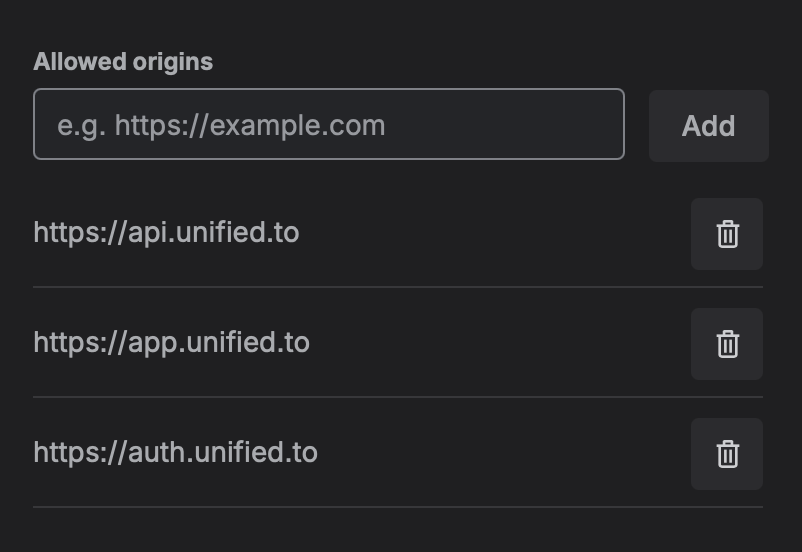
Add the following URLs in your Trello app settings:
- https://app.unified.to
- https://auth.unified.to
- The Unified API domain shown during setup, for example:
- https://api.unified.to
- https://api-eu.unified.to
- (or your region-specific API domain)
5. Save & Complete Setup
- Save the Trello app settings
- Return to Unified
- Complete the connection flow
Notes
- Make sure the regional API domain matches what is shown in the Unified app during setup
- This can vary depending on your environment or region
Troubleshooting
If the connection does not work:
- Confirm the API key is from the correct Trello app
- Ensure all Allowed Origins are added exactly (no typos or missing domains)
- Verify the correct regional API domain is included
- Retry the connection after saving changes