·
How to Register your Facebook OAuth2 Application
August 28, 2026
- Create a Meta Developer account
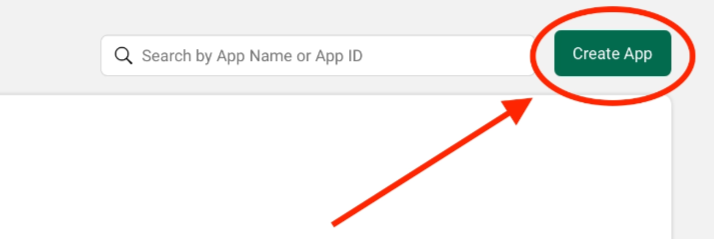
- Create an application
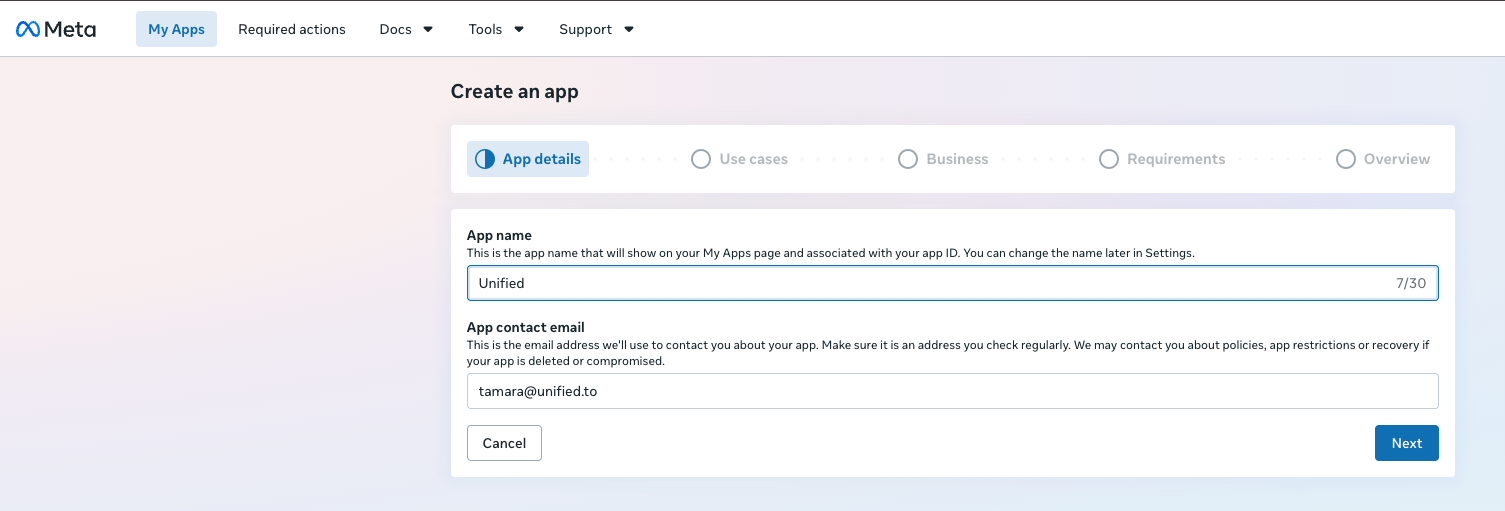
Enter the following details:
- App Name
- App Contact Email
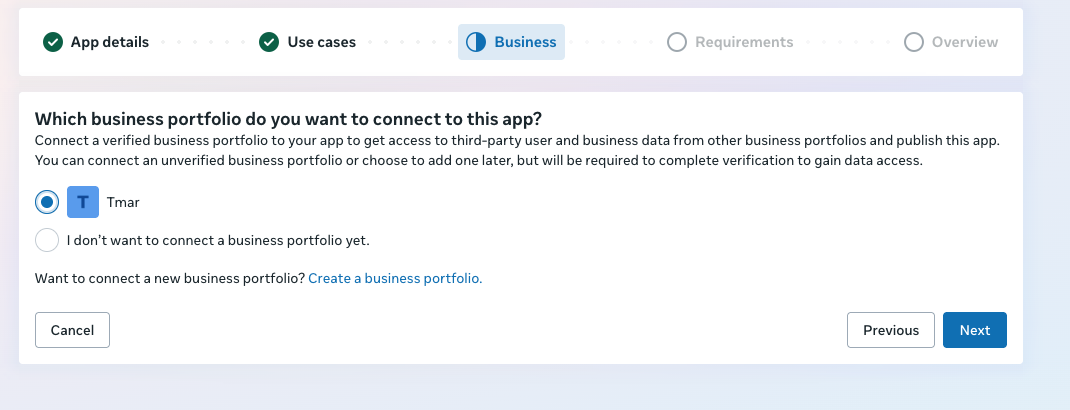
- Add the use case

- Connect your app to a business portfolio
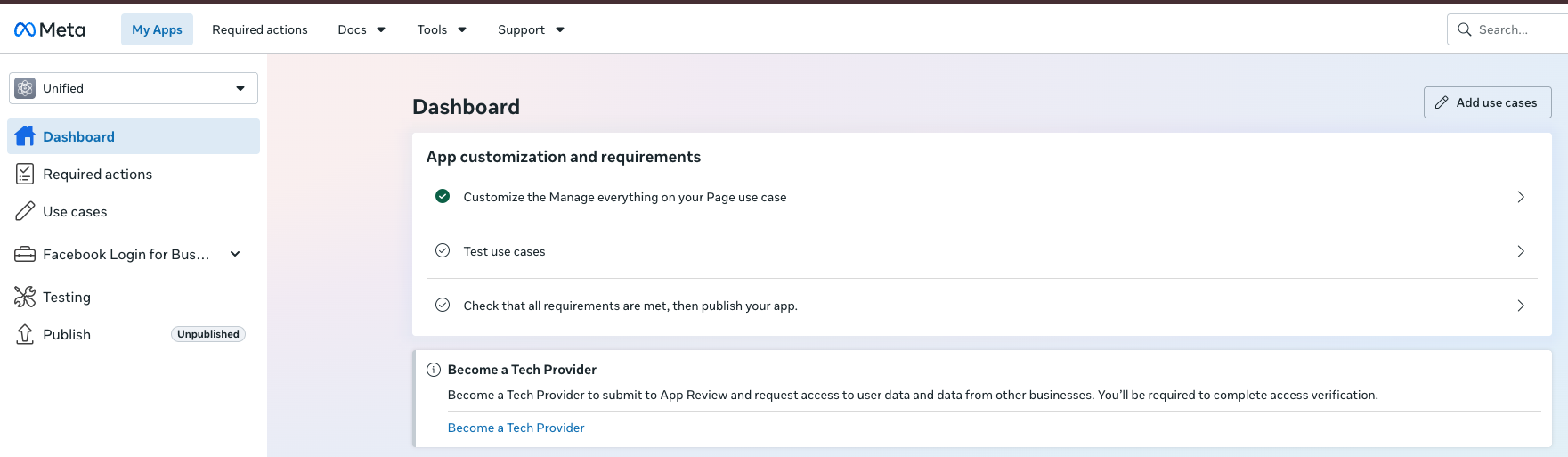
- Once you create the app, select it from the https://developers.facebook.com/apps/ page. From the app dashboard, select 'Customize the Manage everything on your Page use case'
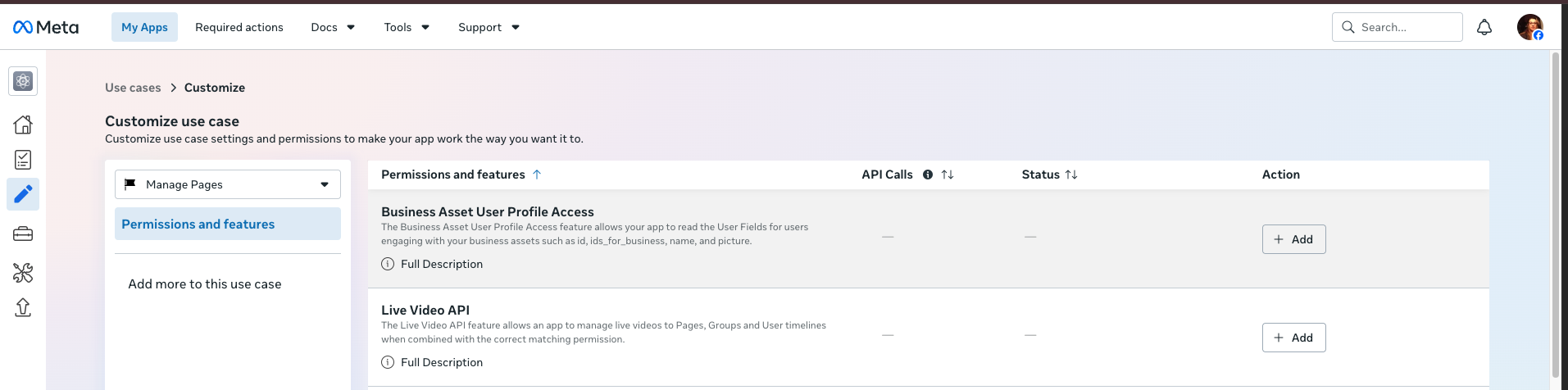
- Now add the permissions
- pages_show_list
- pages_read_engagement
- pages_read_user_content
- read_insights
- pages_manage_posts
- public_profile
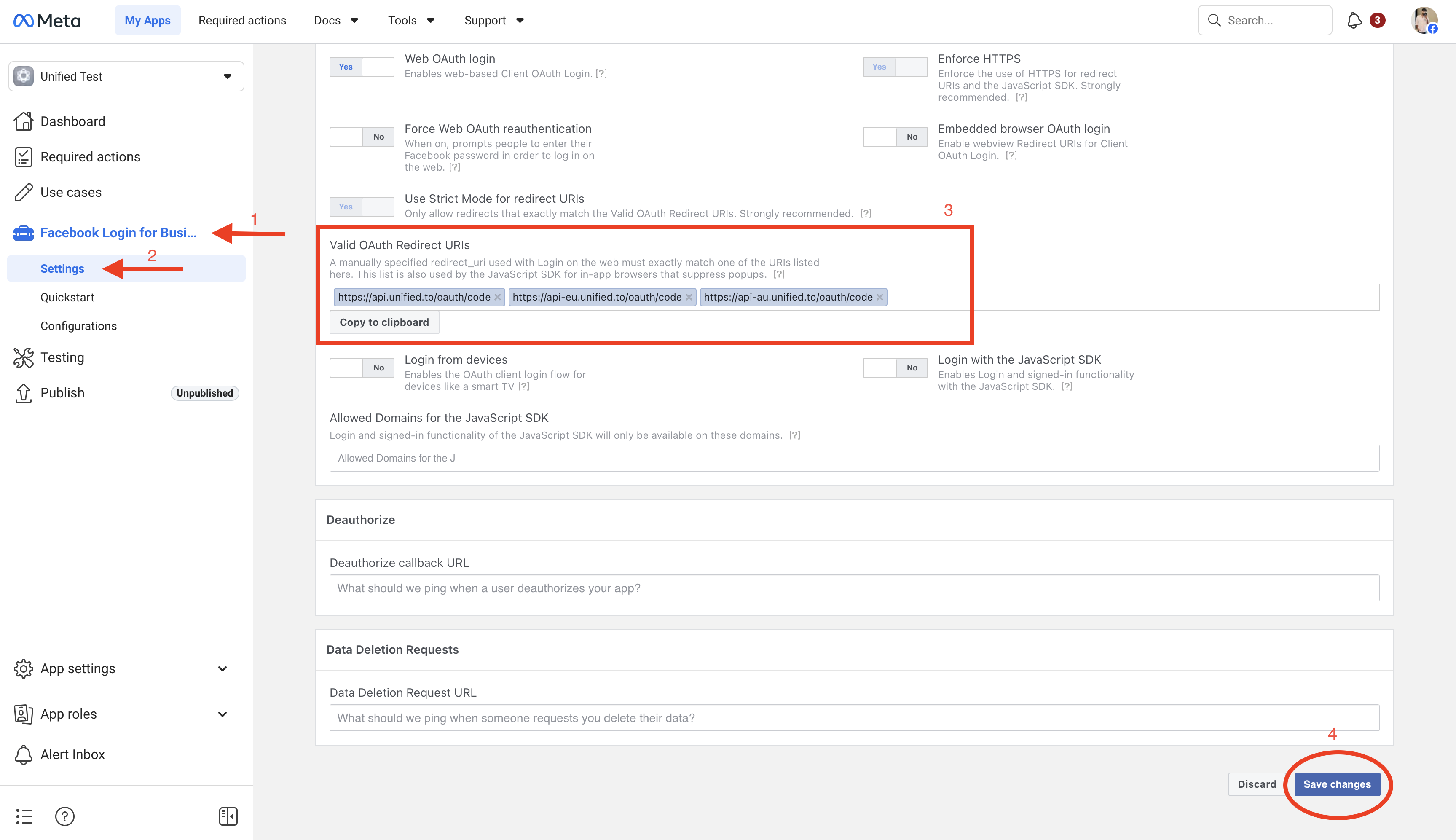
- Configure Facebook Login for Business
- In the left sidebar, open (1, 2): Facebook Login for Business → Settings
- Specify the Unified.to OAuth2 redirect URLs (3)
- Click Save Changes (4)

- Configure App Domains
- Go to App Settings → Basic
- Add the following App Domains(3): unified.toapi.unified.toapp.unified.toapi-eu.unified.toapp-eu.unified.toapi-au.unified.toapp-au.unified.to
- Scroll down and save the settings (4)
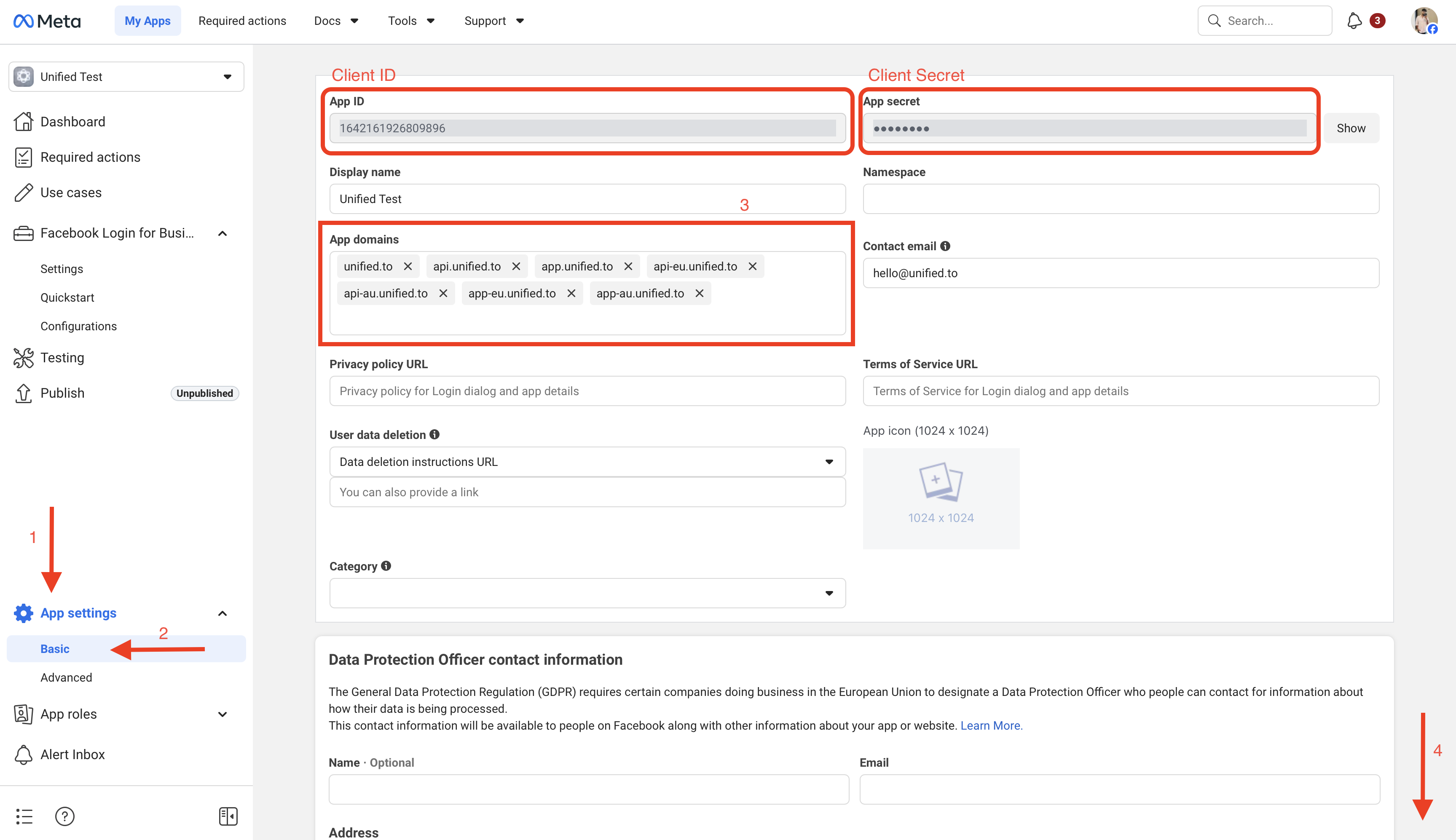
- In Unified https://app.unified.to/integrations/facebook, add the application's App ID (as the client ID) and the App secret (as the client secret). This information can be found in the App settings > Basic page.
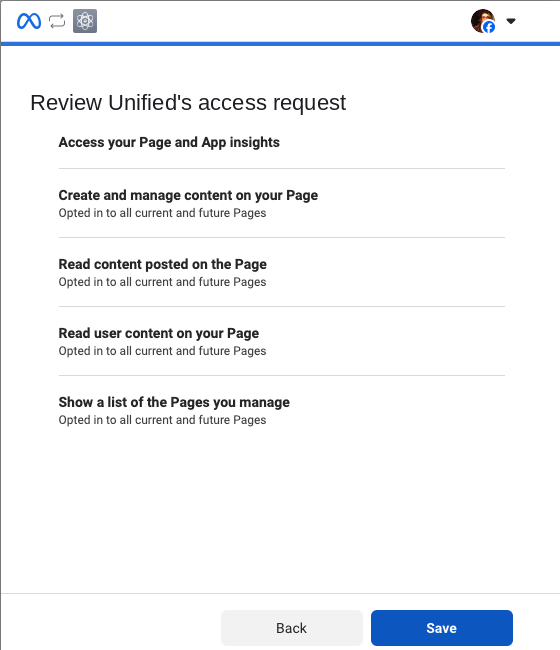
You are now all set to authorize a Facebook connection. Users should see this screen at time of Oauth.