
Microsoft Dynamics 365 Customer EngagementAPIintegration&MCPserver
Deliver real-time Tasks faster, close sales deals sooner, and scale without an integration backlog.
Try free for 30 days, no credit card required
Add Microsoft Dynamics 365 Customer Engagement and 165 other pre-built Tasks integrations
Real-time data to fuel countless Tasks use cases
Power AI copilots, insights, predictive analysis, and automation with a modern integration infrastructure that scales alongside you.
Customize Notifications
Get alerts on tasks and deadlines that matter most.
Prioritize Tasks
Automatically prioritize tasks by analyzing due dates, priority levels, and workload.
Manage Projects
Use historical task data to predict project completion dates and identify bottlenecks.


Unified API data-models and methods
The modern Unified API+MCP platform, built differently
Real-time, pass-through
Every request hits the source API live. No caching or sync jobs: reads and writes go to the source API, and native and virtual webhooks report changes on supported integrations.
No customer records at rest
No customer records at rest; connection credentials and operational metadata are encrypted at rest. Each workspace runs in one region: US on every plan, EU or AU on Pro and Scale.
Common objects across every category
Unified objects, endpoints, scopes and errors across every category, plus raw payloads when you need vendor-specific fields.
Custom fields & objects
Read and write custom fields through the Metadata API; reach custom objects through raw fields and the Passthrough API.
AI-ready integrations
Built for AI products: Unified MCP gives LLMs scoped access to integration tools, with options to limit permissions and hide sensitive fields.
Predictable pricing, no lock-in
Usage-based pricing that scales with API volume, not with the number of customers you connect. Own your credentials and export them anytime; tokens issued to your own OAuth app keep refreshing after you leave.
Add a Microsoft Dynamics 365 Customer Engagement integration to your application in hours
1Test drive integrations
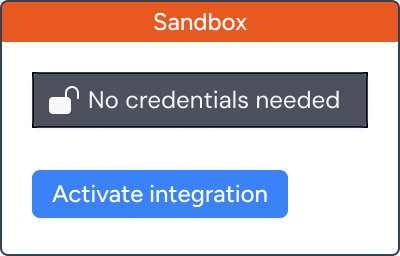
Effortlessly test API calls, explore endpoints, and try out the Microsoft Dynamics 365 Customer Engagement integration using synthetic data in our Sandbox environment.
2Authorize connections
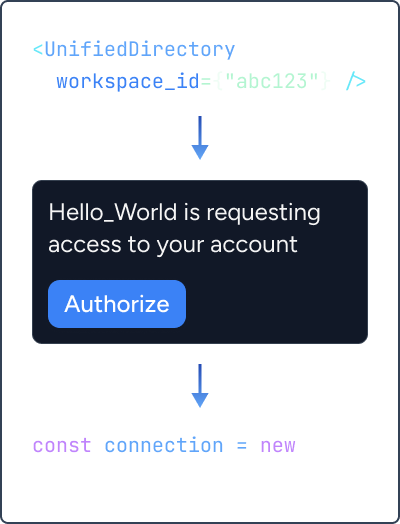
Drop in our Authorization component with a single line of code. Your users can then connect and grant access to their Microsoft Dynamics 365 Customer Engagement data.
3Start making API calls
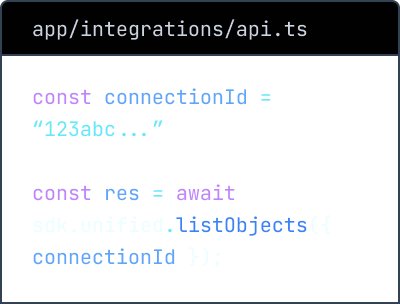
Use the Connection ID to interact with Microsoft Dynamics 365 Customer Engagement via our unified API. We handle maintenance and updates so you can focus on your product.
Authorization handled for you
A pre-built authorization component and API handle each vendor's sign-in, so your code works with a connection ID.
See documentationIntegrate with all the major tasks applications
Unified.to makes it possible to integrate once to a unified API to connect with all the applications your customers use, so you can train AI models, build advanced automation, and expand your market.
Start testing for free



Integrateonce,launchindays
With 2216+ pre-built integrations and zero maintenance burden, Unified.to unlocks your team's integration potential, so you can unblock growth.