
·
How to Register your MetaAds OAuth2 application
March 4, 2026
- Create a Meta Developer account
- Create an application
- Go to https://developers.facebook.com/apps/creation/
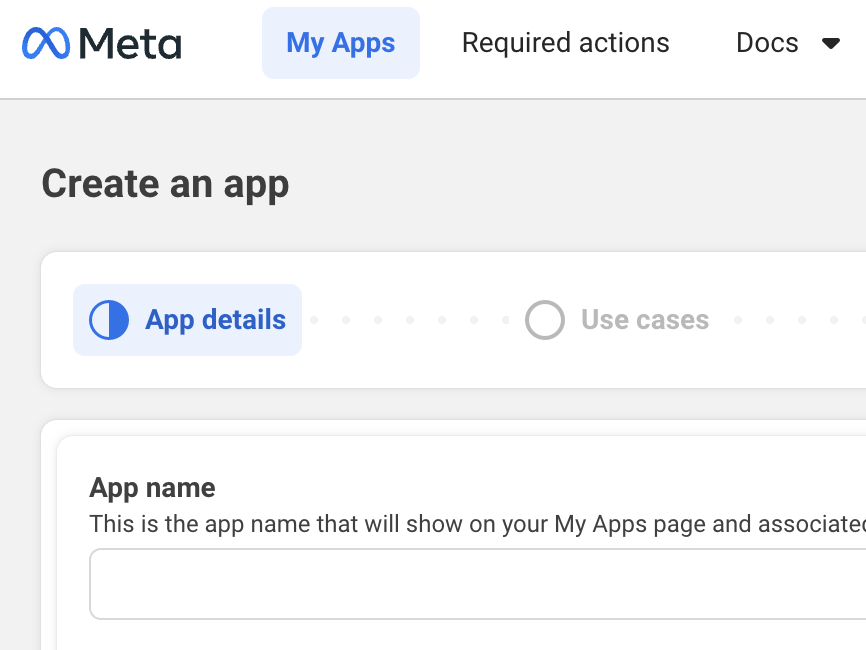
- Enter the following details:
- App Name
- App Contact Email
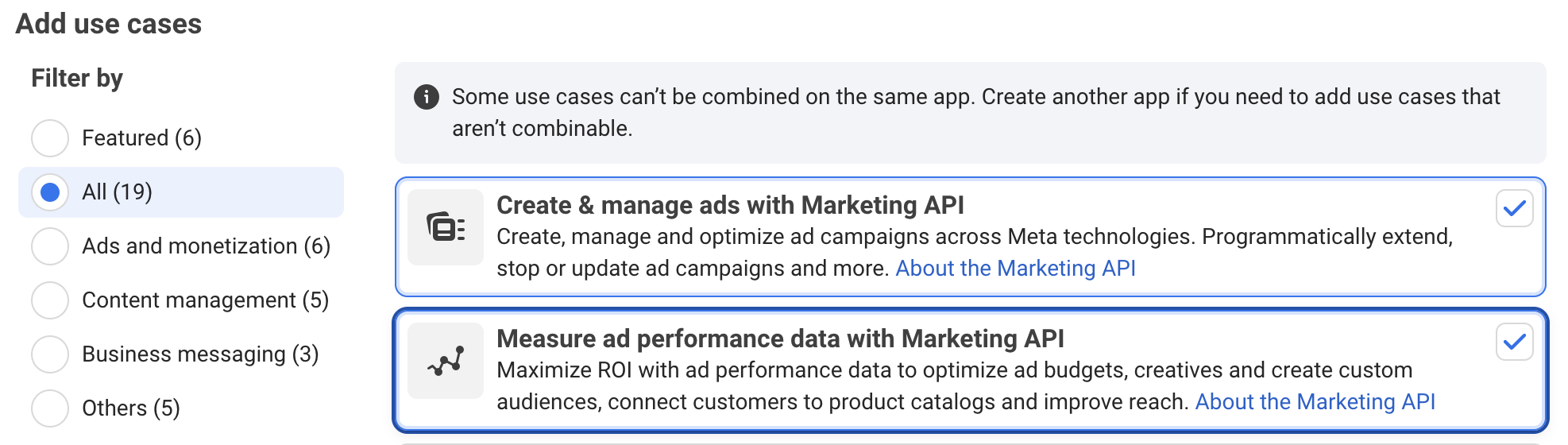
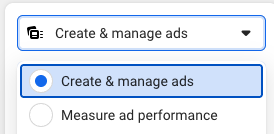
- Add the following use-cases; 'Manage ads using Marketing API' and 'Measure ad performance'

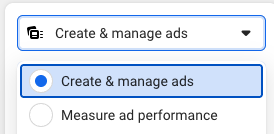
3. Configure Permissions for the Marketing API- Enable all permissions in the 'Create & Manage Ads' and 'Measure ad performance' use-cases
- or -
- After the application is created:
- Open the App Dashboard.
- Navigate to: Use Cases → Customize → Create & Manage Ads
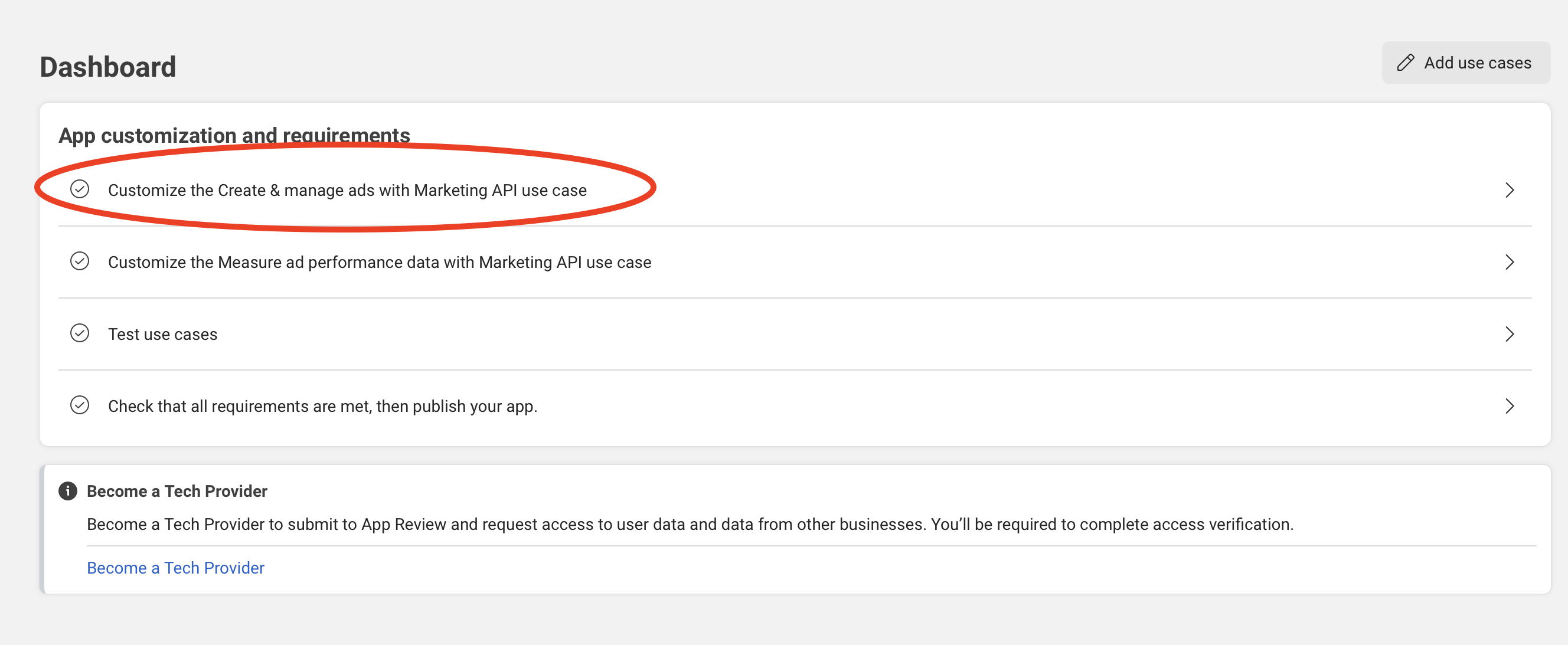
- Enable the following permissions:
- ads_management
- ads_read
- business_management
- Additional permissions such as:
- pages_manage_ads
- pages_read_engagement
This may also be enabled depending on your integration requirements.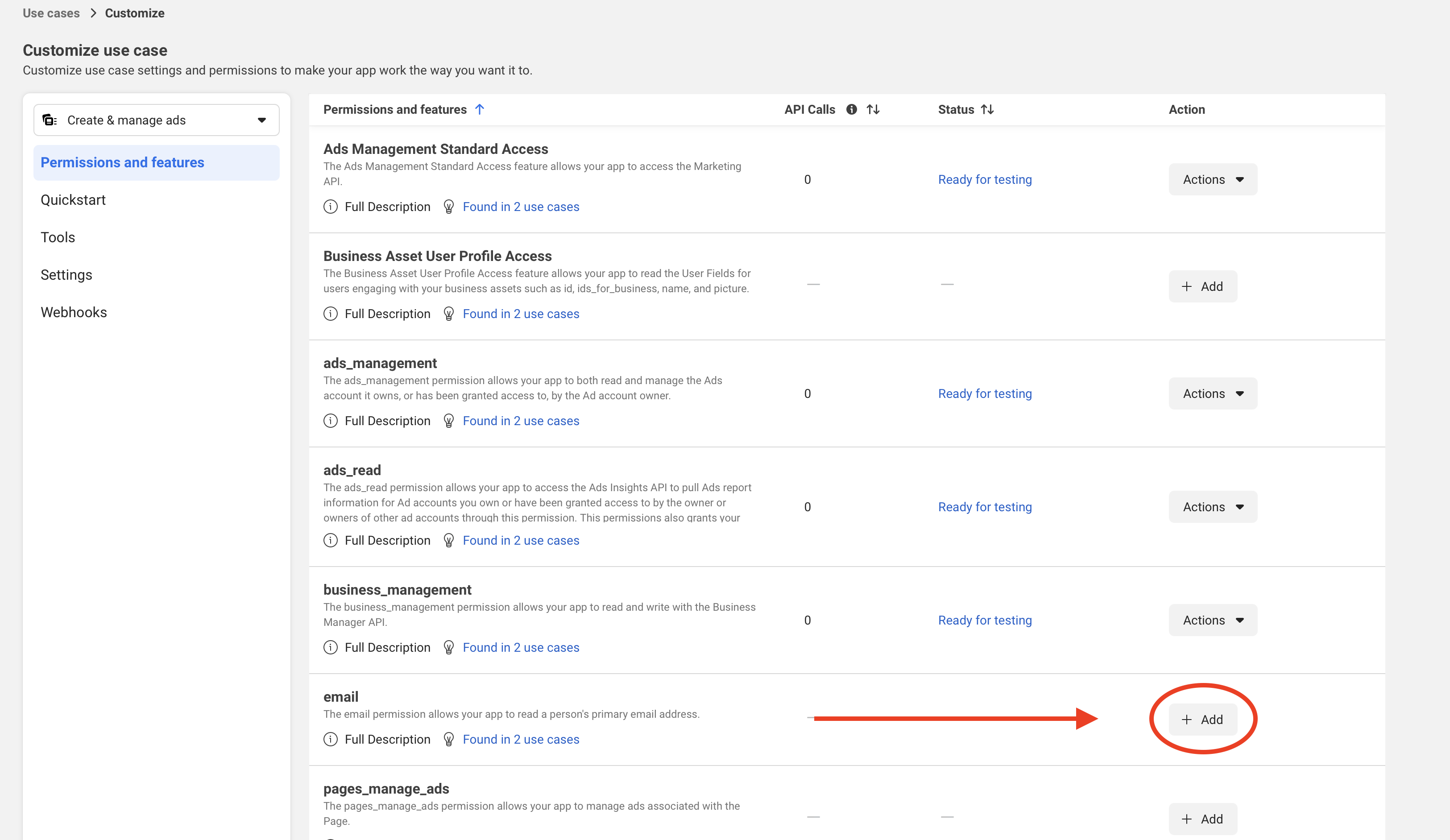
- Go to https://developers.facebook.com/apps/creation/
4. Configure Facebook Login for Business
- In the left sidebar, open (1, 2):
Facebook Login for Business → Settings
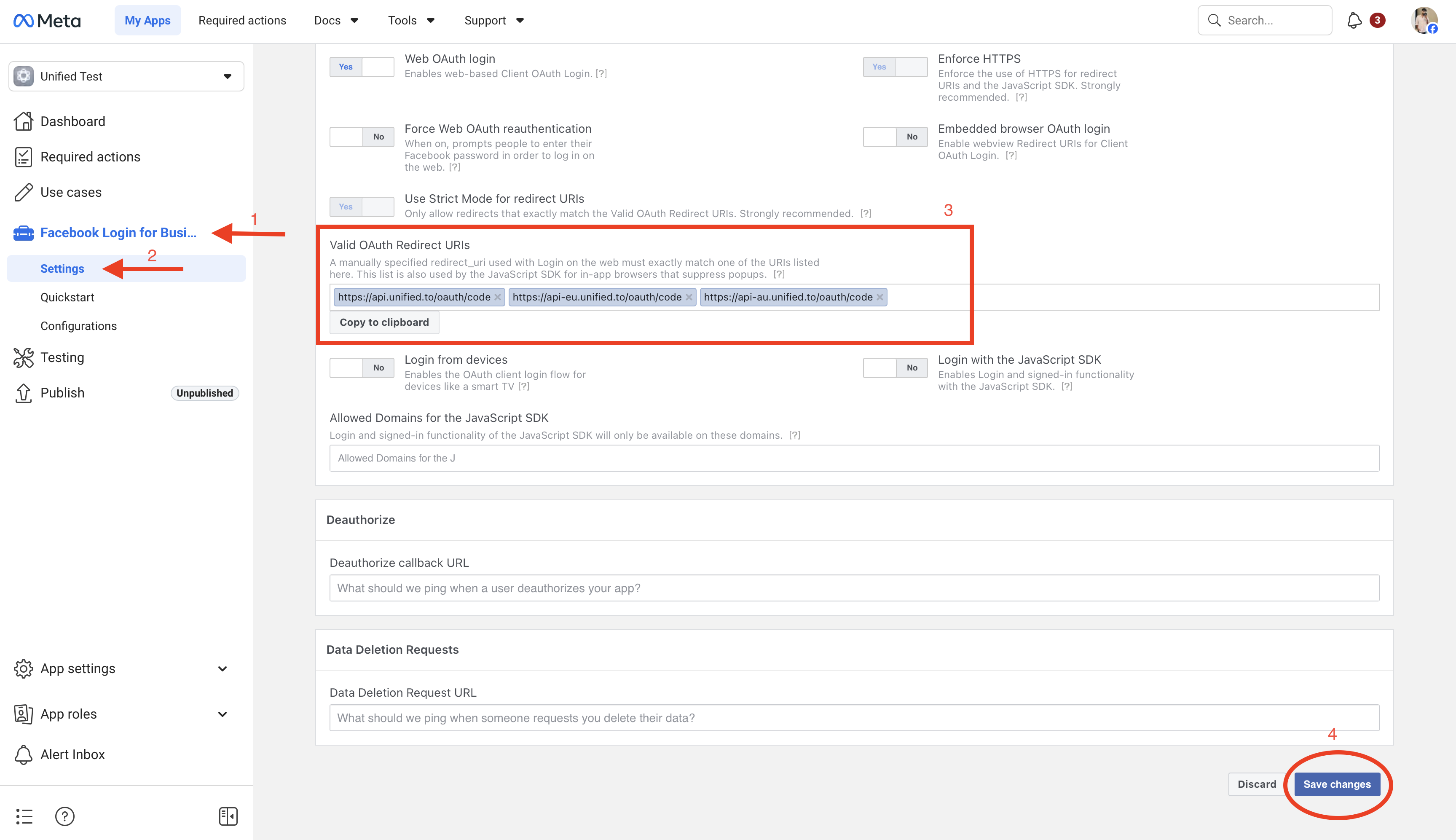
- Specify the Unified.to OAuth2 redirect URLs (3)

- Click Save Changes (4).
5. Configure App Domains
- Go to App Settings → Basic
- Add the following App Domains(3): unified.toapi.unified.toapp.unified.toapi-eu.unified.toapp-eu.unified.toapi-au.unified.toapp-au.unified.to
- Scroll down and save the settings (4).
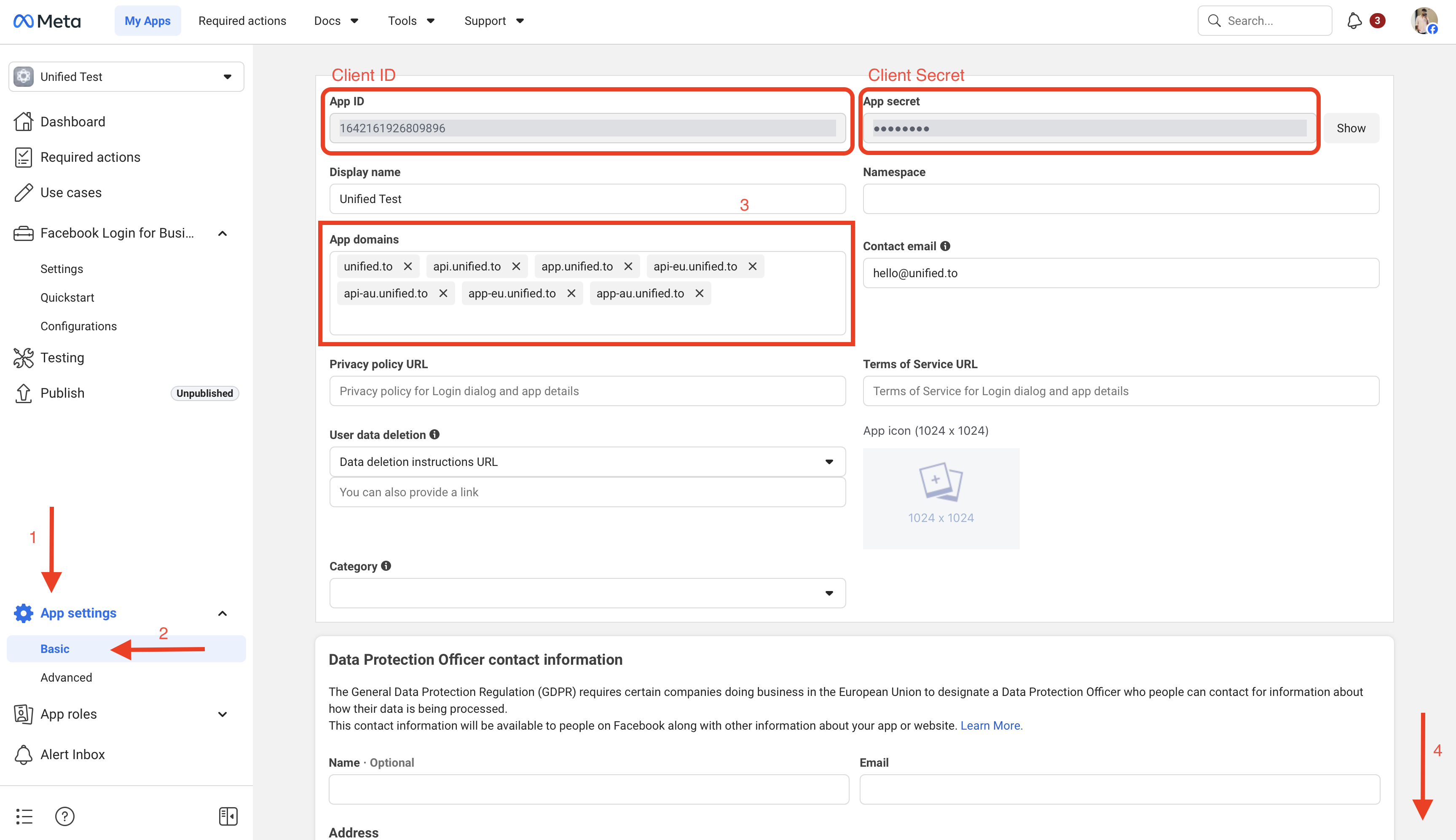
In Unified https://app.unified.to/integrations/metaads, add the application's App ID (as the client ID) and the App secret (as the client secret). This information can be found in the App settings > Basic page.
You are now all set to authorize a MetaAds connection