
·
How to get your Deel Access Token: Step-by-step guide
August 26, 2023
When connecting Deel to other platforms, authentication requires an Access Token.
Follow these step-by-step instructions to generate one from your Deel account, or provide them to your customers if they need to connect their account.
Generating Access Tokens
- Navigate to Apps & Integrations > Developer Center.
- Select the type of Token, whether Organization or Personal. The former ties the keys to the whole organization while the latter ties the keys to an individual - token will expire once this person leaves the company.
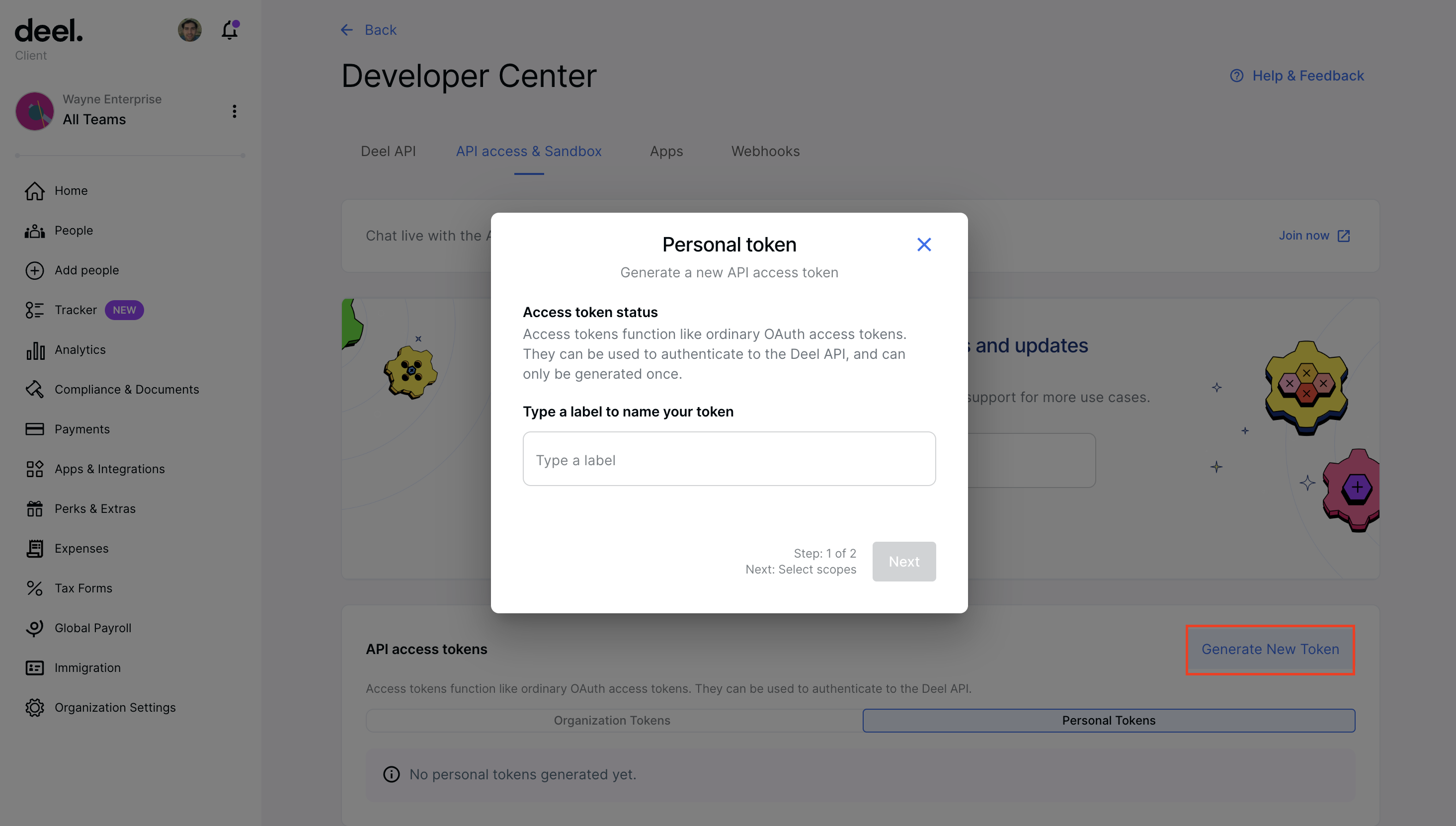
- Add a token name and click on the Next button.
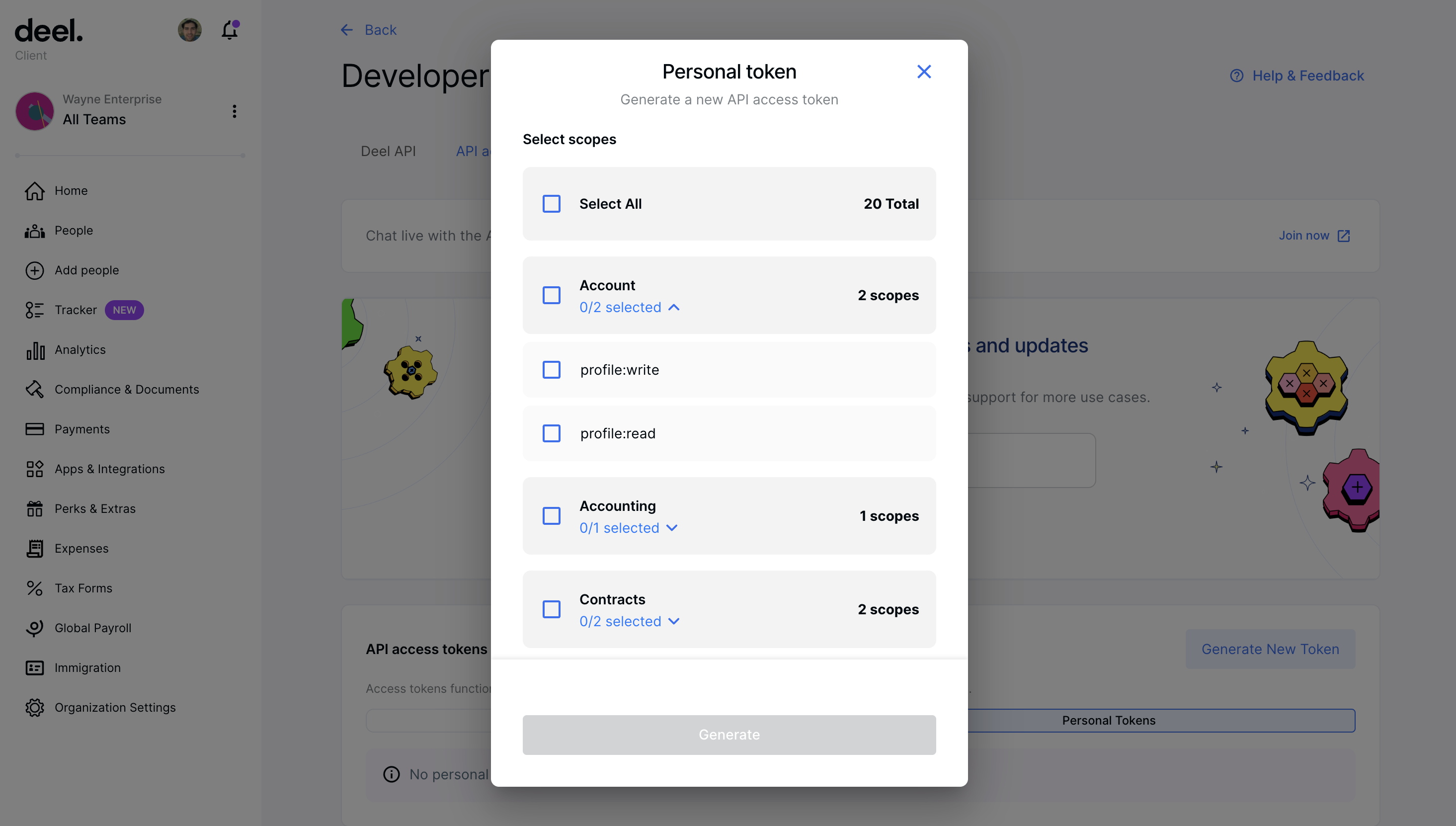
- In the popup, select the scopes for the access token and click Generate.
people:read,organizations:read,payslips:read,time-off:read - Make sure to copy and save your newly generated token because you won't be able to see it again!
Generating a Deel Access Token is the first step. The harder part is building pipelines that stay reliable as customers add more systems.
Unified.to gives you options: deliver data via API, streaming webhooks, database sync, or even as MCP tools for AI agents. One integration layer that adapts to your architecture instead of forcing tradeoffs.
Book a demo to see how we simplify integration delivery across 721 integrations and 33 categories.