
How to get your Shopify Admin API access token and Store ID: Step-by-step guide
November 14, 2023
If you're building an integration with Shopify, you'll need an Admin API access token and Store ID from your customer's Shopify account to authenticate requests.
This guide shows you (or your customers) how to generate one from Shopify's account settings.
How do I find my Shopify access token and store ID?
Your access token and store ID can be found under Settings > Apps and sales channels > Develop Apps > Your_App.
If you have not used access tokens in the Shopify admin before, this guide will walk you through how to do that as well as how to retrieve your unique store ID. Note: These instructions are adapted from the Custom apps guide in Shopify.
Step 1: Activate custom app development
- In the Shopify admin dashboard, click Settings > Apps and sales channels.
- Click Develop apps.
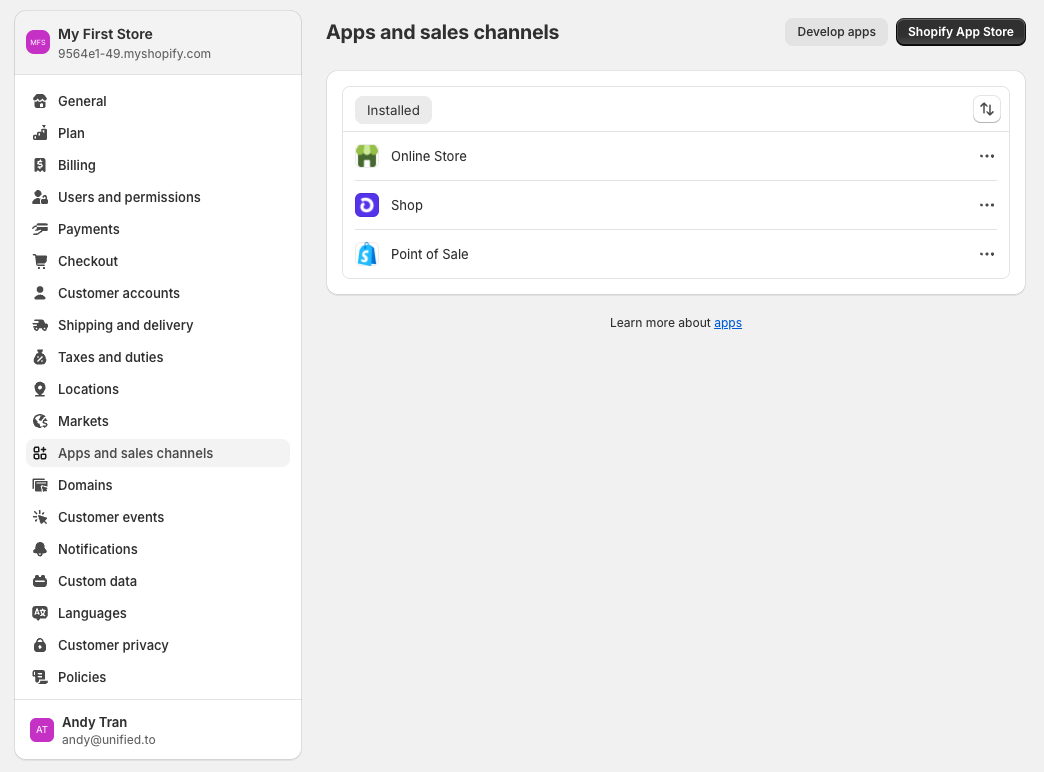
- Read the disclaimer, and then click Allow custom app development.
Step 2: Create a custom app
- On the same page, click Create an app.
- In the modal that appears, enter the App name and select an App developer. This can be the store owner or any collaborator with the Develop apps permission.
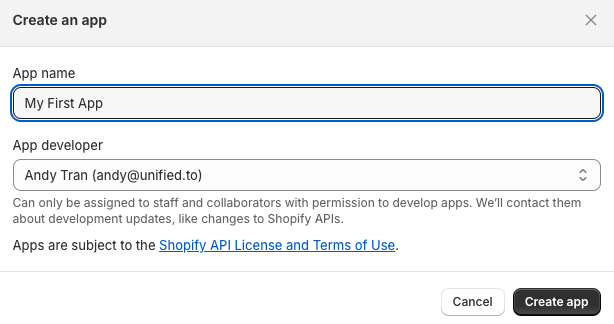
- Click Create app.
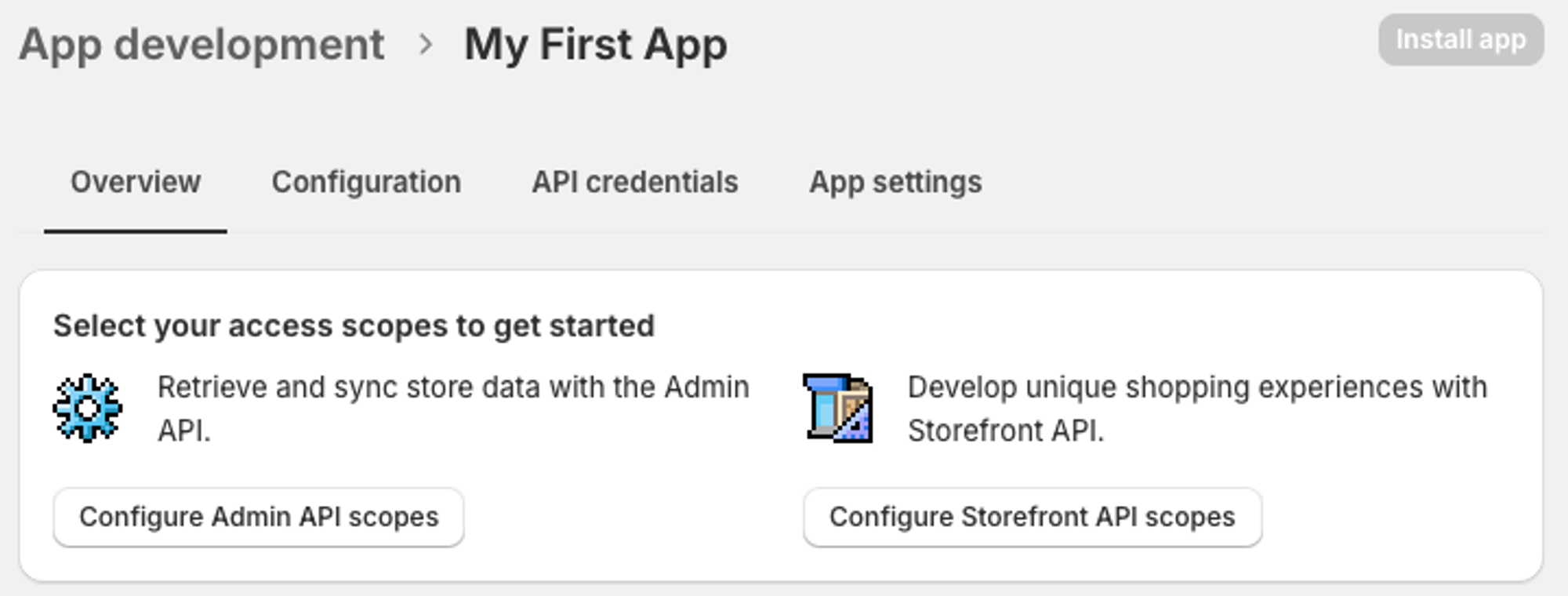
Step 3: Configure Admin API scopes
- On the same page, click Configure Admin API scopes
- Select all of the following checkboxes (tip: use the search bar to quickly look these up)
- Customers:
read_customers - Inventory:
read_inventory,write_inventory - Locations:
read_locations - Orders:
read_orders,write_orders - Products:
read_products,write_products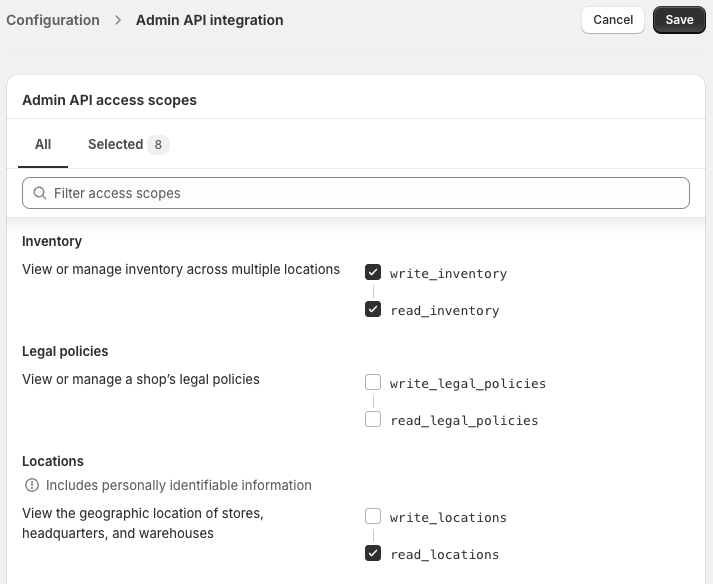
- Click Save
Step 4: Install your app and retrieve the access token
- Navigate to API credentials and then click Install app
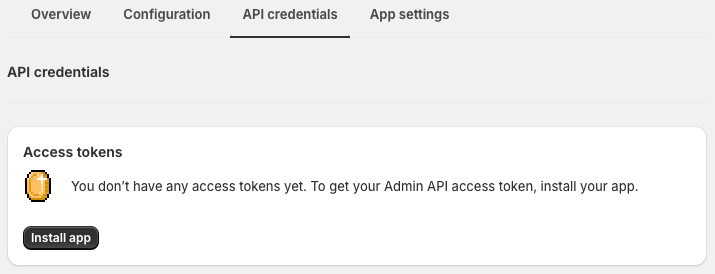
- In the modal that appears, click Install
- The page will now display a form containing your access token.
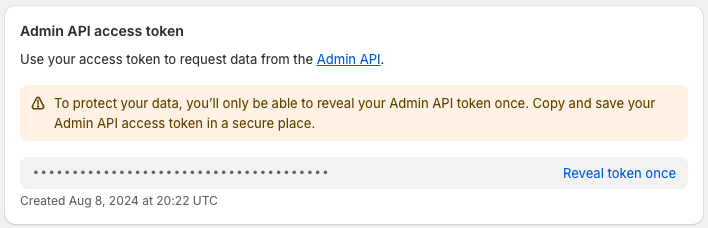
- Click on Reveal token once
- Copy and paste the token to the Sign in and Authorize page
Step 6: Retrieve your Shopify store ID
- While you are in the Shopify admin dashboard, observe the URL in your address bar - it should look something like this:
https://admin.shopify.com/store/9564e1-49 - Your unique Shopify store ID is the part that comes after
/storee.g.9564e1-49in the above example - Copy and paste the ID to the Sign in and Authorize page
You've now retrieved your Shopify Admin API access token and Store ID. That's one system covered, but scaling integrations one by one means repeating this process hundreds of times.
Unified.to handles this for you: 475 integrations out of the box, all with normalized schemas, real-time delivery, and [Virtual Webhooks](/blog/unlock_real_time_data_with_virtual_webhooks). No polling scripts, no retry logic, no maintenance backlog.
Book a demo to see how Unified cuts integration work from quarters to days.