
How to get your Gainsight Client ID, Client Secret and Gainsight API Domain: Step-by-step guide
November 15, 2025
Gainsight supports authentication with Client ID, Client Secret and Gainsight API Domain. To connect, you'll need to generate secure Client ID, Client Secret and Gainsight API Domain from your account settings.
This short guide shows you how to generate one, whether you're testing in your sandbox or helping customers connect their Gainsight account.
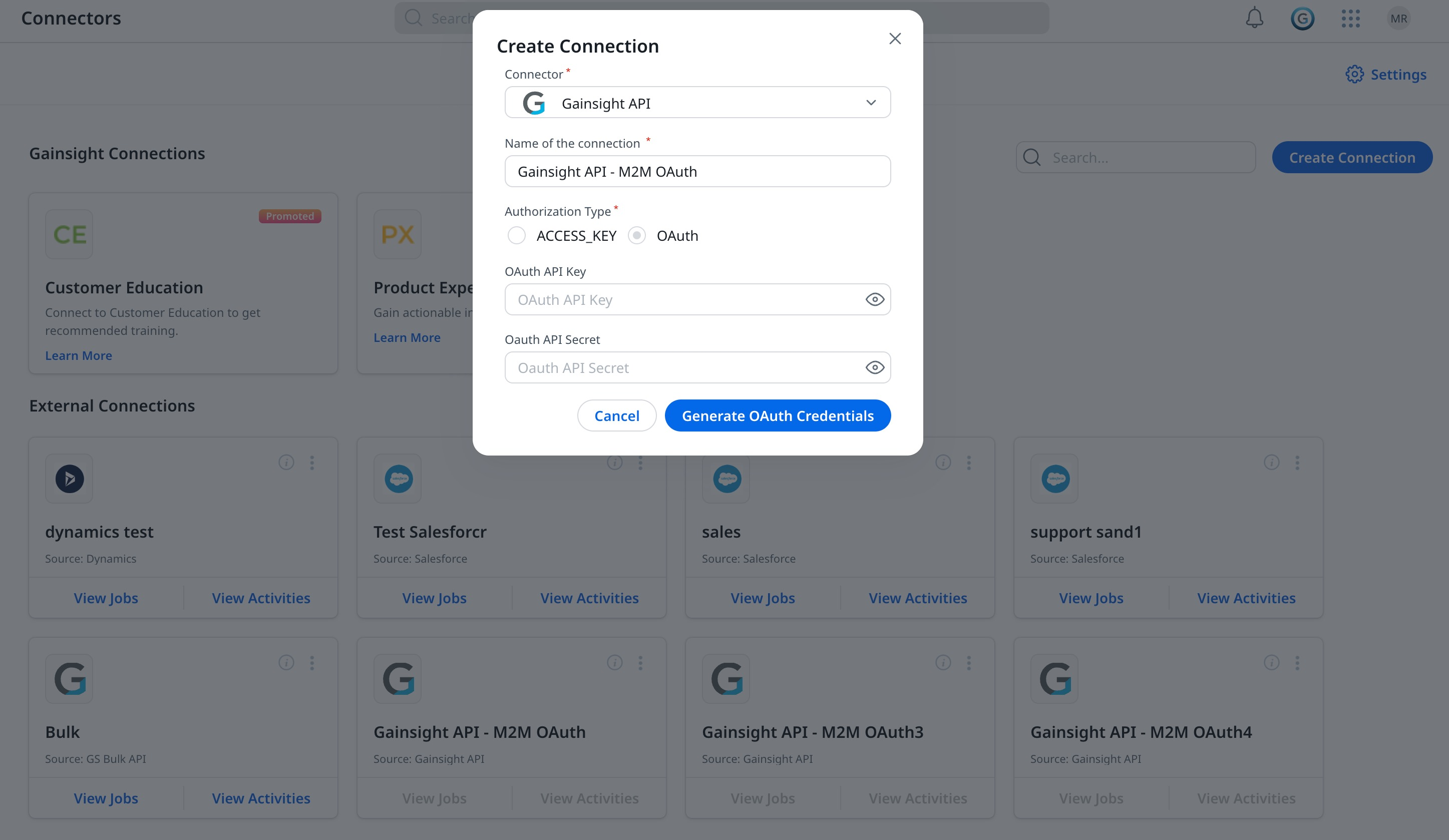
To generate the M2M OAuth key:
- Navigate to Administration > Connectors 2.0.
- Click Create Connection. The Create Connection dialog appears.
- From the Connector dropdown list, select Gainsight API.
- In the Name of the connection field, enter the name of the connection.
- In the Authentication Type, select the OAuth.
- Click Generate OAuth Credentials.
New OAuth API Key and OAuth API Secret keys are generated, which you can copy and use for authentication in all of the REST API requests to Gainsight.
Note:
- M2M OAuth can be created and managed only by super admins.
- M2M OAuth cannot be used for Event APIs.
- Two different M2M connections cannot have the same name for a single connection.
Generating a Gainsight Client ID, Client Secret and Gainsight API Domain is the first step. The harder part is building pipelines that stay reliable as customers add more systems.
Unified.to gives you options: deliver data via API, streaming webhooks, database sync, or even as MCP tools for AI agents. One integration layer that adapts to your architecture instead of forcing tradeoffs.
Book a demo to see how we simplify integration delivery across 475 integrations and 29 categories.