
Unified Messaging API: Sync Email and Chat Data Across Platform
·
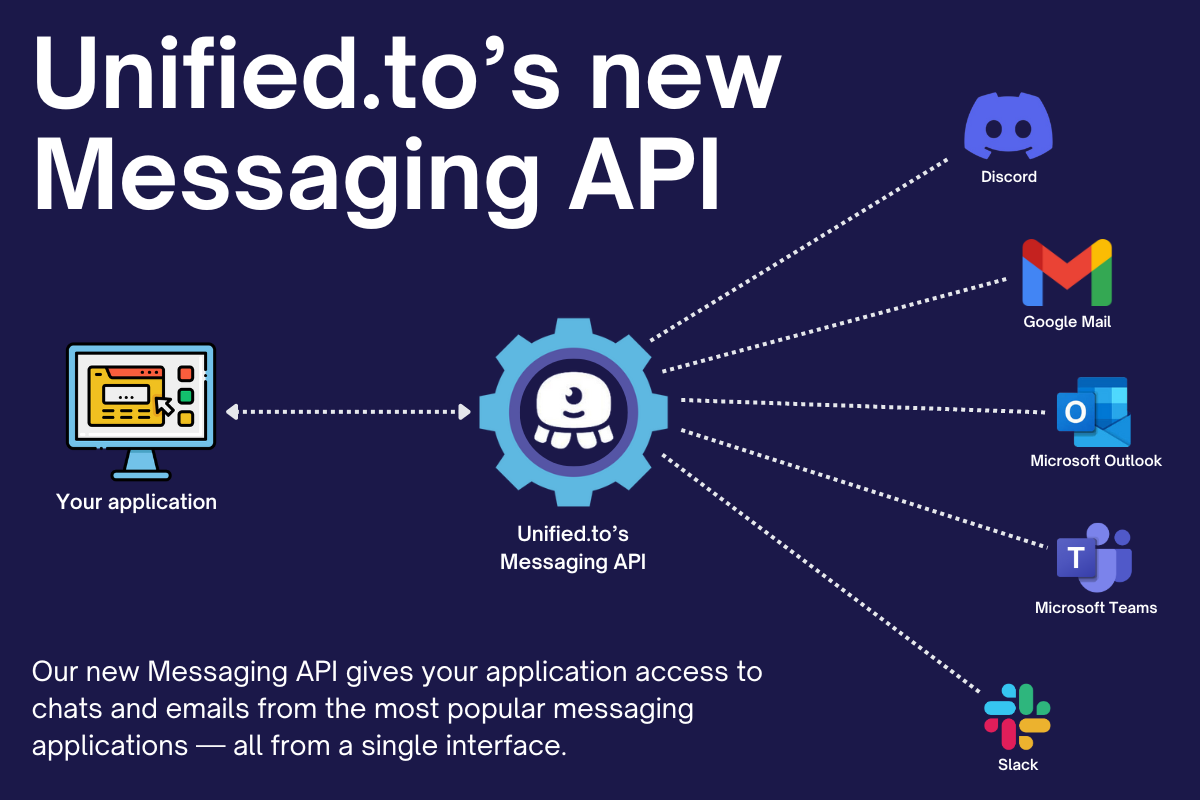
If your product needs access to email and chat data, you quickly run into fragmented APIs, inconsistent message formats, and provider-specific authentication.
The Unified Messaging API provides a single interface to retrieve and send messages across platforms, with a normalized data model and real-time access. It acts as a unified communication layer across email and chat systems, allowing applications to access, send, and analyze messages through one API.
Supported integrations
The Messaging API supports 80 integrations, including:
- Circle
- Discord
- Freshdesk
- Gmail
- IMAP
- Intercom
- Microsoft Outlook
- Microsoft Teams
- Slack
Additional messaging integrations are expanding as part of this category.
Unified message model across email and chat
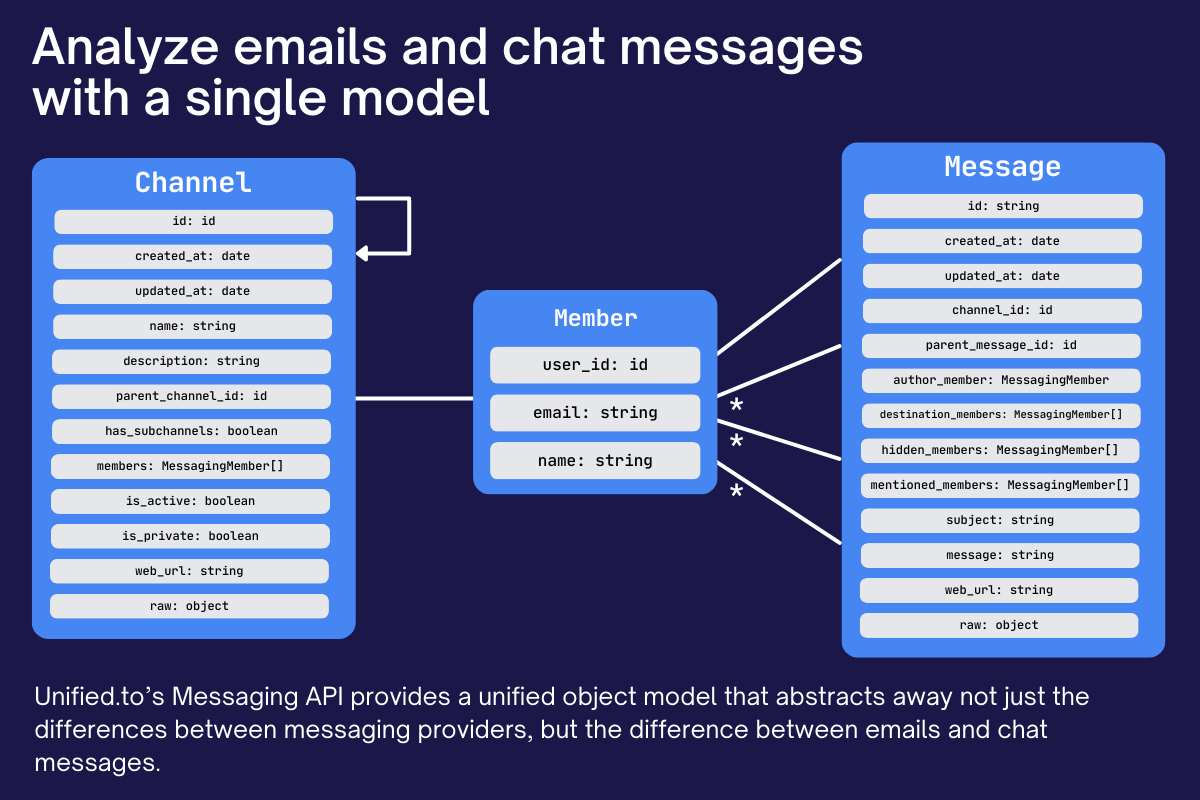
The Messaging API standardizes messages across providers:
- Emails and chat messages use the same schema
- Threads, participants, and attachments are normalized
- Message history can be accessed across platforms
This allows systems to treat all communication as a single dataset, regardless of source.
Core objects in the Messaging API
- Channels: conversations, threads, or inboxes
- Messages: individual email or chat messages
- Events: interaction events such as replies, reactions, or updates
These objects follow consistent schemas across providers, reducing the need to handle platform-specific message formats.
Real-time messaging data access
The Messaging API retrieves and sends messages in real time:
- Requests are routed directly to provider APIs
- No polling or background jobs
- No stored message data
Webhooks deliver updates for new messages and changes.
The API supports both retrieving and sending messages, enabling full interaction with communication platforms.
What teams build with the Messaging API
- Unified inboxes across email and chat platforms
- Customer support systems aggregating conversations
- Internal communication analysis tools
- Automated response systems for high-volume messaging
- AI systems analyzing conversations for insights and trends
Using messaging data in AI systems
Message data can be used to:
- Summarize conversations across channels
- Detect customer issues and generate tickets
- Analyze sentiment and identify trends
- Generate responses for common scenarios
Because data is accessed in real time, AI systems operate on current conversations rather than stored snapshots.
Who this is for
- Customer support platforms aggregating conversations
- CRM and sales tools ingesting communication history
- Internal tools analyzing team communication
- AI systems processing email and chat data
- Automation systems responding to incoming messages
What is a messaging API?
A messaging API allows developers to access and send messages across email and chat platforms through a single interface. It standardizes message formats, threads, and participants, enabling consistent communication data access across providers.
Get started
The Messaging API is available on all Unified plans.