Setting up OAuth 2 Credentials for Greenhouse's APIs
May 27, 2024
Important — Read this first!
Unified.to has two integrations name with the name 'Greenhouse':
- The first one that appears in the Integrations page is for Greenhouse's Harvest API (v3), which uses OAuth2 code-flow to authorize your application. For most of the use-cases, you should use this integration.
- The second one that appears in the Integrations page is for Greenhouse's Candidate Ingestion API, which uses OAuth 2 client-credentials-flow to authorize your application.
Greenhouse Harvest API (v3)
- Integration request form should be submitted by every new company. Applications are reviewed by Greenhouse on the first Monday of every month. If a company is already an official Greenhouse partner with a signed agreement, they may proceed directly to step 3.
- After completing a review, Greenhouse will share API agreement with company
- Once the agreement is signed, the company should follow the steps here to have a client application created for their integration. They will provide Greenhouse with a redirect_uri (https://api.unified.to/oauth/code) that will be attached to their specific integration's client application. Greenhouse will provide the client credentials (client_id and client_secret)
- The company will input their (2) credentials in https://app.unified.to/integrations/greenhouse. Unified will handle all authorization:
- Access authorization, token management, refreshes and storage (instructions found here)
- Proxy requests on behalf of the originating partner to harvest v3 APIs
- Secure access schemes to proxy APIs from originating partner to UAPI provider that ensure no cross contamination
- The company will complete the remaining onboarding steps with Greenhouse.
Greenhouse Ingestion API
Submit information about your application to Greenhouse
Before you can make use of Unified.to's Embedded Authorization component to let your users authorize Greenhouse to access their accounts, you will need to provide Greenhouse with the following:
- Application Name: The name of your application as it would appear in Greenhouse.
- Application URL: The URL of your application.
- Callback URL: After the end user authorizes your application to access their account, Greenhouse will redirect them to this URL. Provide this one:
https://api.unified.to/oauth/code - Logo Image: A 128 by 128 pixel image that Greenhouse will include in their permissions modal.
Receive the Consumer Key and Consumer Secret provided by Greenhouse
When Greenhouse receives the information listed above, they will provide a set of values including these two:
- A consumer key, which uniquely identifies your application
- A consumer secret, which acts as proof of your application's identity
As its name implies, the consumer secret is confidential. For security purposes, Greenhouse will encrypt the consumer secret before emailing it to you (they'll explain how to decrypt it).
Activate Greenhouse in Unified.to
With your application registered with Greenhouse and the OAuth 2 credentials in hand, you can now activate the Greenhouse integration in Unified.to.
In Unified.to, go to the Active Integrations page, find the Greenhouse Ingestion API item (and not the Greenhouse Harvest API one) and click on it:
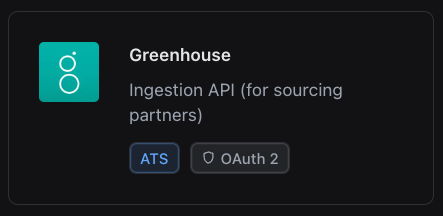
On the page that appears, do the following:
- Select Your OAuth 2 credentials.
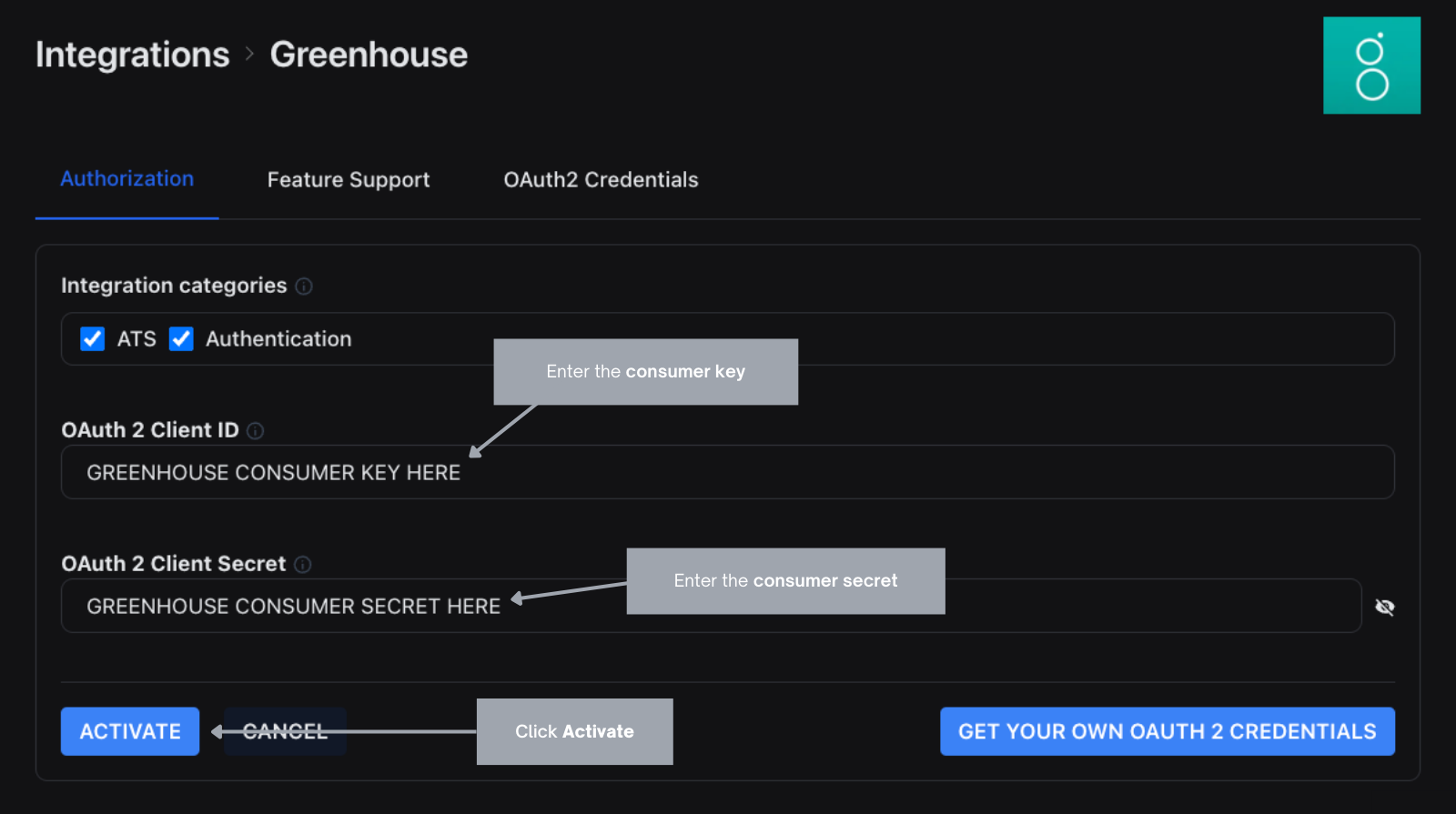
- Enter the consumer key value into the OAuth 2 Client ID text field.
- Enter the consumer secret value into the OAuth 2 Client Secret text field.
- Click the Activate button to save the changes and activate the Greenhouse integration.