
How to get your SAP SuccessFactors Username, Company ID, Password and API URL: Step-by-step guide
April 24, 2023
When connecting SAP SuccessFactors to other platforms, authentication requires a Username, Company ID, Password and API URL.
Follow these step-by-step instructions to generate one from your SAP SuccessFactors account, or provide them to your customers if they need to connect their account.
Please follow the following instructions to obtain your SAP SuccessFactors API credentials.
Step 1: Find your API Server URL
- Go to this link and find your data-center (DC). Remember your API Server URL. For example, if your domain was https://salesdemo2.successfactors.com, search for
salesdemo2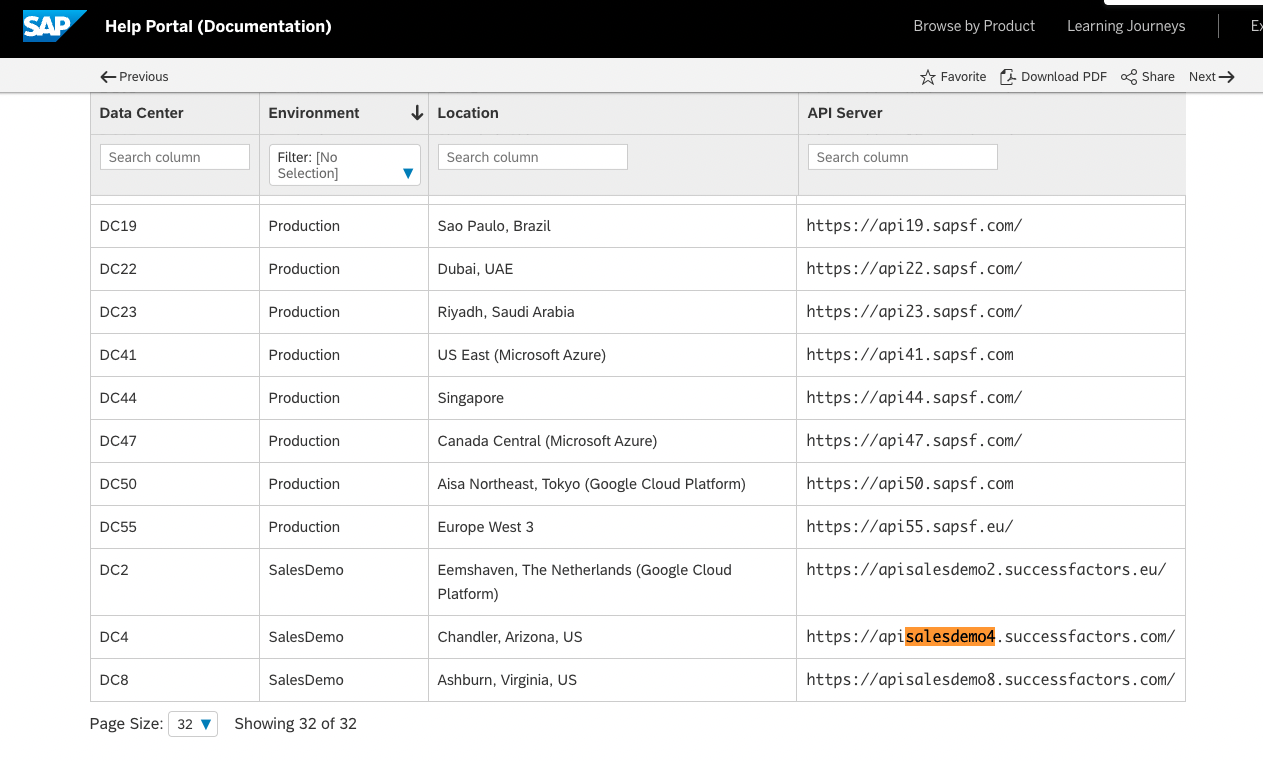
Step 2: Find your Username and Company ID
- To find your SAP SuccessFactors
username, log-in to SuccessFactors, then click on your profile image in the upper-right corner to view your username.
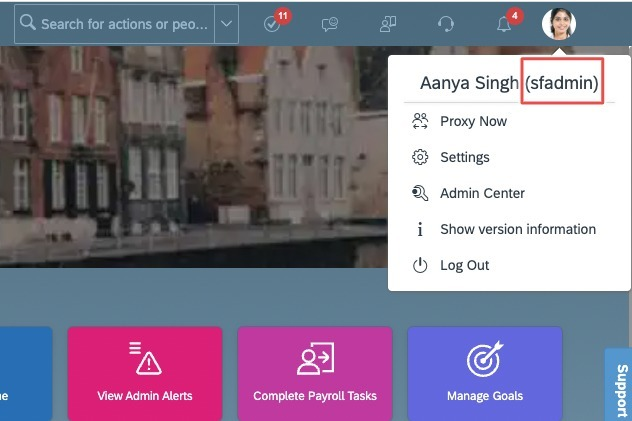
- You SHOULD create a new username/password just for API access so that you do not use your own login credentials.
- To find your
Company ID, you can click onShow version informationin the top-right menu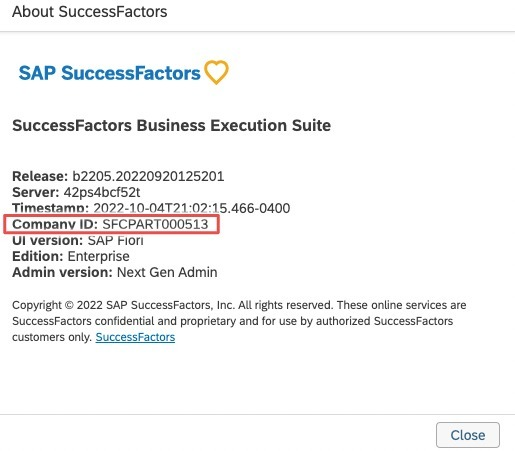
- An alternate method to find your
Company IDunder the company settings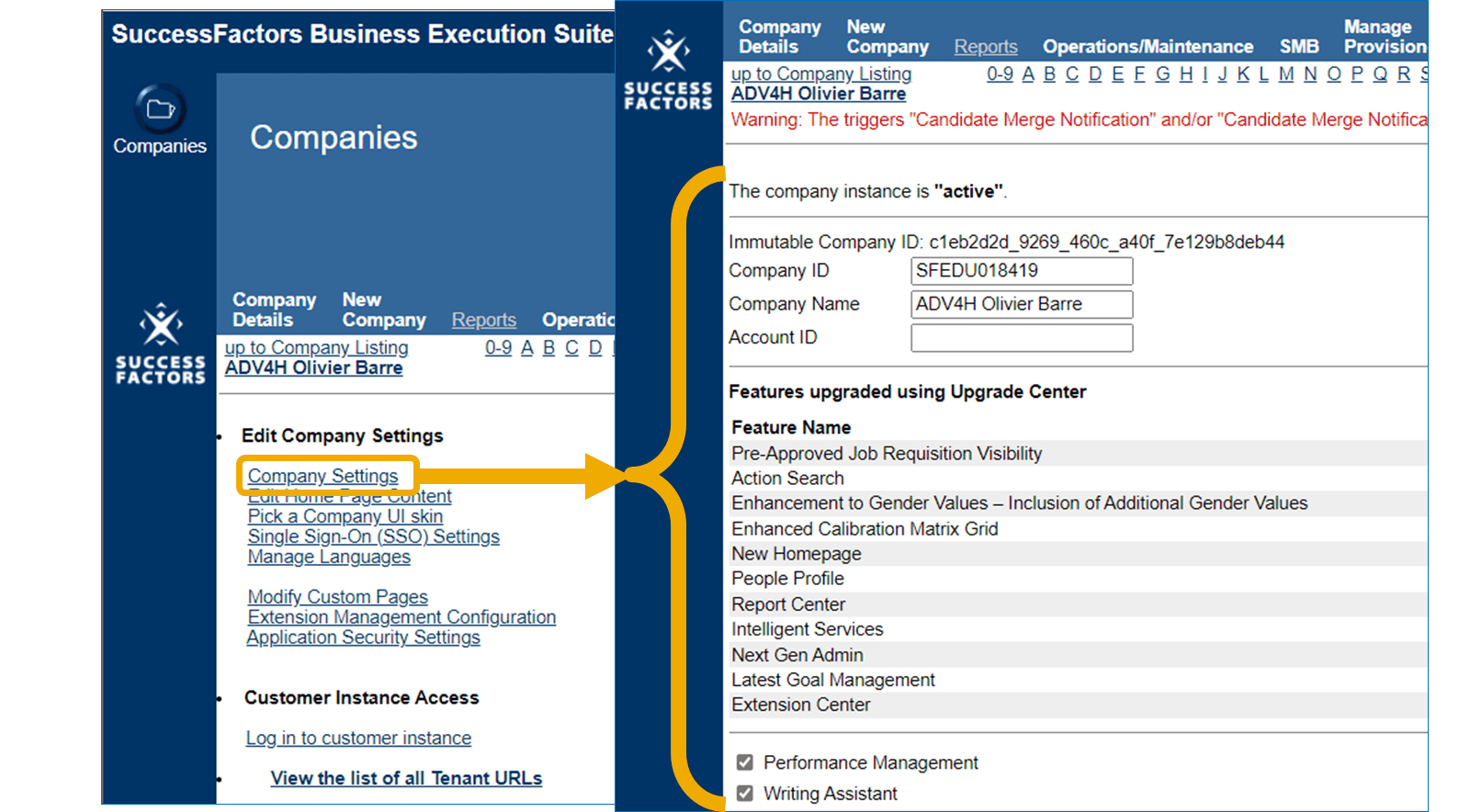
Step 3: Set Security Configuration
- Set the
Allow Admin to Access OData API through Basic Authenticationpermission inAdmin Center > OData API Basic Authentication Configurationpage. - If you require specific IP Addresses to access the SuccessFactors API, then use the following IP addresses:
44.199.69.2443.65.142.23913.239.151.208. This is performed in theAdmin Center > OData API Basic Authentication Configurationor theAPI Center > OData IP Allowlistingpages.
You've now created your SAP SuccessFactors Username, Company ID, Password and API URL - just one of many if you support multiple vendors. Each one adds new auth flows, schema differences, and ongoing maintenance.
Unified.to removes that overhead with unified objects that work across 463 APIs. Map once, launch everywhere. Your team ships features instead of debugging vendor-specific edge cases.
Book a demo to see how much faster you can launch customer integrations with Unified.to.