
How to get your Loxo Agency slug, API Key and Agency ID: Step-by-step guide
August 18, 2023
If you're building an integration with Loxo, you'll need an Agency slug, API Key and Agency ID from your customer's Loxo account to authenticate requests.
This guide shows you (or your customers) how to generate one from Loxo's account settings.
Where do I find my API Key?
To get your API Key, we'll need to go to Loxo. Once there, click on your profile icon and then Settings.
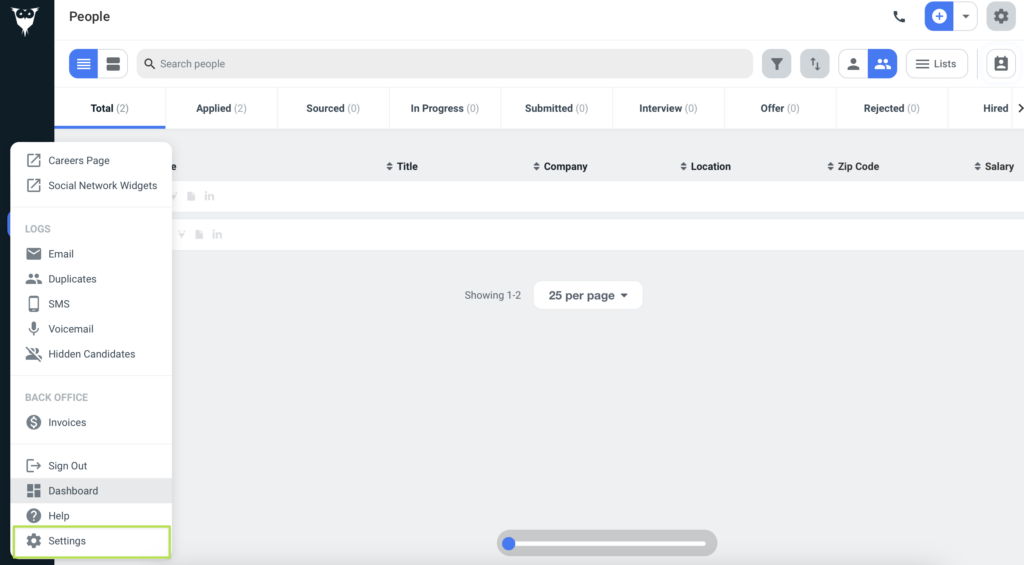
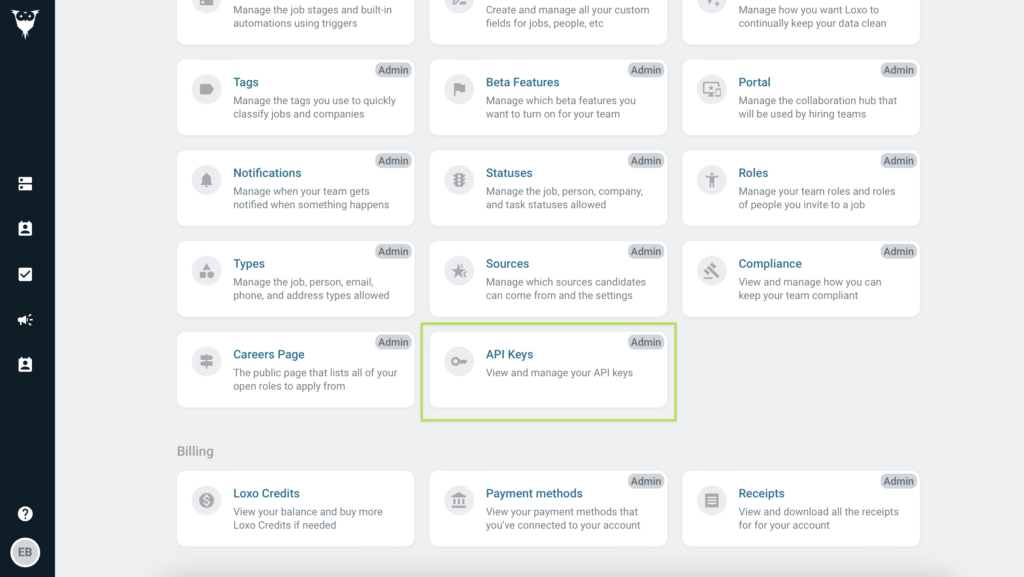
In the Settings view, look for the API Keys card and click on it.
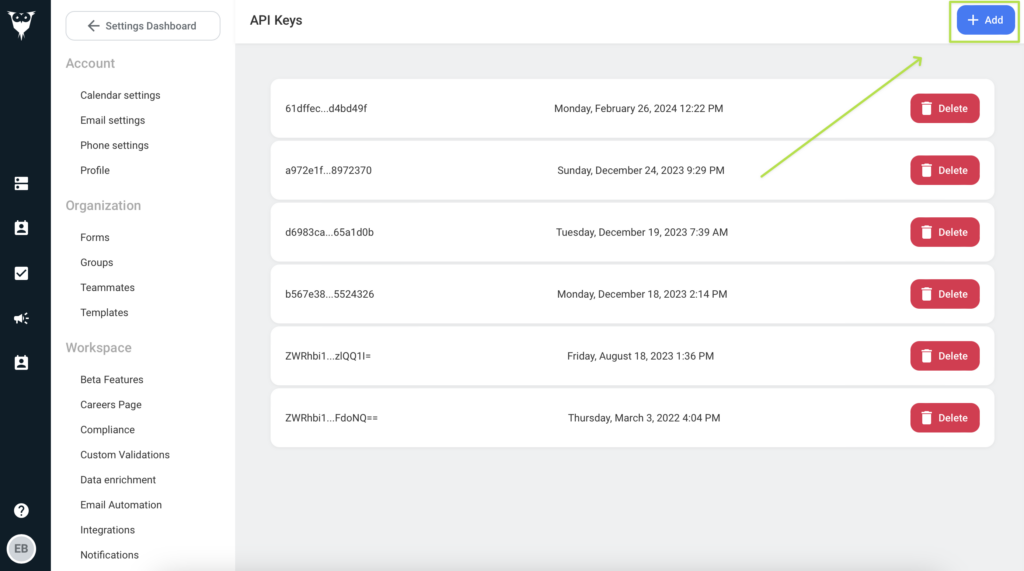
In the API Keys view, click the Add button.
How can I get my Agency Slug?
To get your agency slug, navigate to your agency's career page. You can find it under your profile's menu.
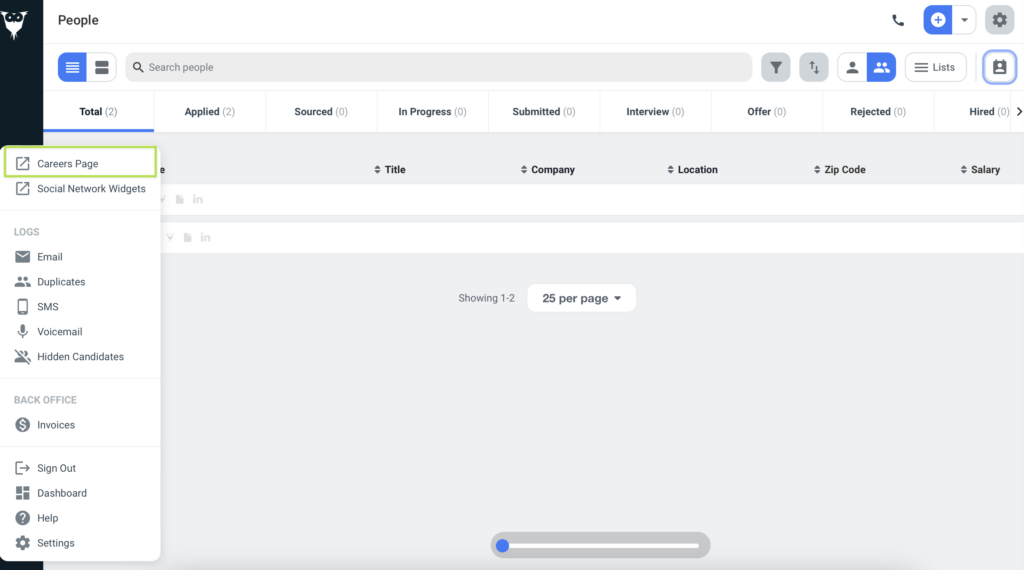
On the Careers page, your agency slug will be the first part of the path, after the domain.
Example: https://app.loxo.co/weblime-consultants = weblime-consultants
You've now retrieved your Loxo Agency slug, API Key and Agency ID. That's one system covered, but scaling integrations one by one means repeating this process hundreds of times.
Unified.to handles this for you: 463 integrations out of the box, all with normalized schemas, real-time delivery, and [Virtual Webhooks](/blog/unlock_real_time_data_with_virtual_webhooks). No polling scripts, no retry logic, no maintenance backlog.
Book a demo to see how Unified cuts integration work from quarters to days.