
How to Move from Legacy Unified APIs to Unified.to Without Rebuilding Your Integrations
November 27, 2025
Teams that adopted the first wave of unified APIs and iPaaS tools are now hitting real limits.
They're trying to build real-time products and AI features on top of systems that were designed for batch syncs, store copies of customer data, and only support single-categories. Pricing is tied to individual integrations, expansion is painful, and every new use case means bolting on yet another data pipeline.
Unified was built for the post-AI era: real-time, zero-storage, and multi-category from day one.
We regularly hear from teams using first-generation unified APIs and iPaaS platforms who want to move, but don't want to rebuild their integration layer from scratch. We've already helped teams transition off older platforms; this guide distills the migration patterns that actually work.
Vendor-specific guides. Each one maps that vendor's authorization, API calls, pagination, webhooks and passthrough to Unified.to:
- Merge
- Apideck
- Kombo
- Finch
- Rutter
- Migration overview, for any other unified API
Why Teams Move
- Stale data
Batch syncs and stored copies of data don't work well for event-driven apps, RAG, or copilots that need fresh information. - Single-category limits
Tools optimized for one vertical (e.g. HR) don't scale when you also need accounting, KMS, messaging, tickets, and calendars in the same product. - Pricing that doesn't scale with your product
As you add more integrations and categories, per-integration pricing drive costs up fast and make it harder to justify staying on the same platform. - Security posture
When your integration vendor stores customer data, your SOC 2 scope expands with them, with more controls, more evidence, and more scrutiny every time you add an integration. Teams move to a zero-storage model so the integration layer stays largely out of scope, and because there are now straightforward migration paths off first-generation platforms. - Developer drag
Different auth flows, webhook semantics, and partially-normalized schemas create ongoing maintenance work that never really goes away.
If two or more of these are true for you, a structured migration is usually worth a serious look.
Migration at a High Level
At a high level, most teams follow the same pattern:
- Pick the first flows to move
Start with one or two high-impact areas (e.g. accounting, ATS, or a RAG/KMS pipeline). - Run Unified alongside your current provider
Set up a Unified workspace, connect a few test accounts, and validate payloads and events in staging. - Send new customers through Unified
New connections are created via Unified from day one; existing customers stay on your legacy provider temporarily. - Move existing customers in phases
Either re-authenticate them via Unified's auth flow, or import their existing credentials (see below), then route traffic through Unified. - Decommission the old provider
Once you're confident in coverage and behavior, remove their auth UI, API keys, webhooks, and jobs.
If you already hold your customers' credentials and don't want to force a new auth flow, you can import those integrations directly into Unified.to. Tokens issued to your own OAuth apps keep refreshing after the switch; tokens issued to a provider's OAuth app don't, so those customers re-authorize.
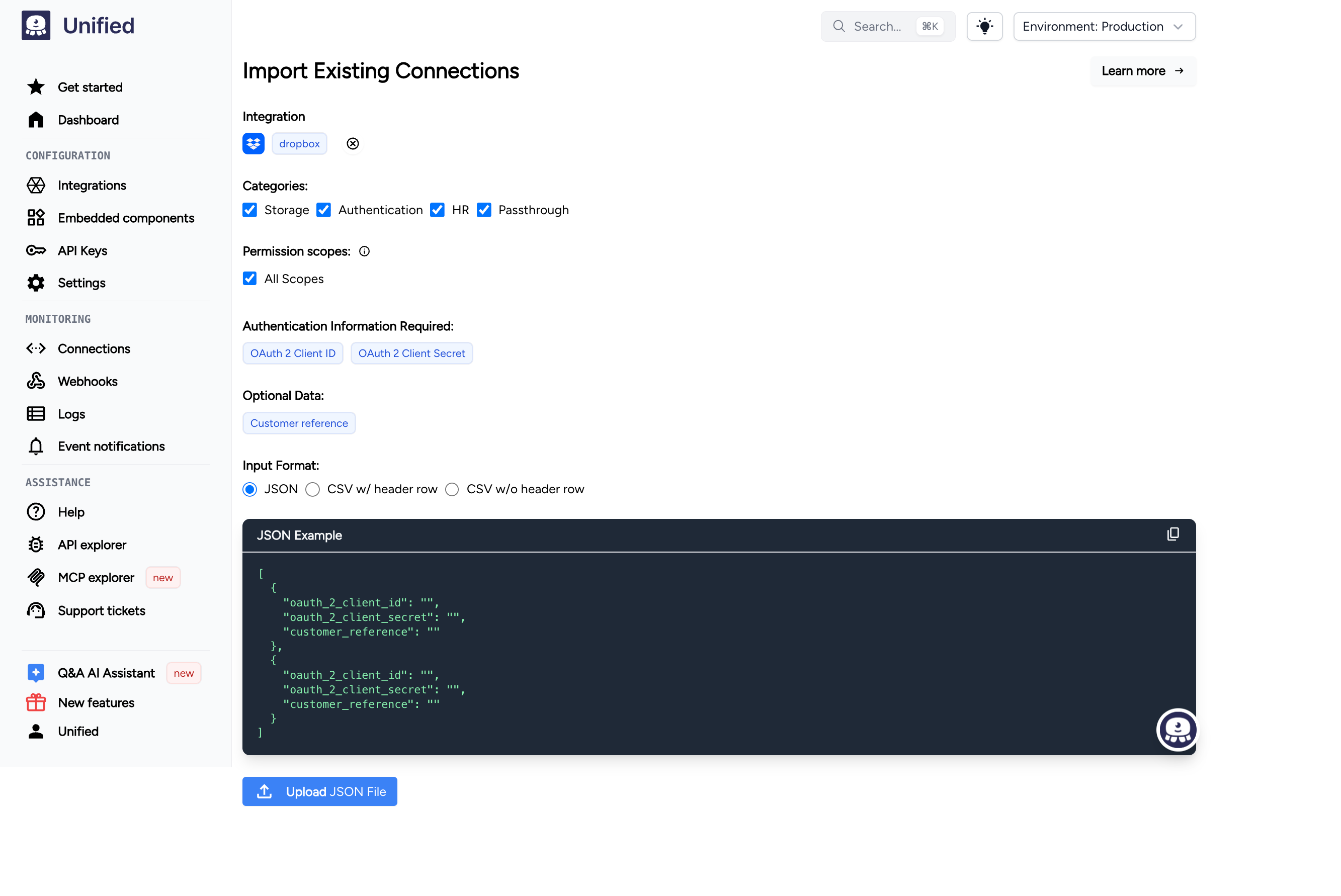
At a high level, that looks like:
- Identify auth type per integration
Make sure you have the right credentials on hand (tokens or OAuth access/refresh tokens) for each customer. - Check what Unified expects for that integration
Use the Unified Core API to see which credential fields are required (e.g. token names, domains, client IDs, refresh tokens). - Map your existing credentials into a Unified connection payload
For OAuth apps, you'll also point your redirect URI to Unified (details in the import guide). - Create the connection via the Unified API
Call the Unified connection endpoint to create a new connection for each customer. - Test and start using the new connection IDs
Make a test API call with each new connection ID, then update your app to use those IDs instead of your previous integration provider.
Full details, including payload shapes and code examples, are in our import guide: How to migrate or import your integrations into Unified.to
Next Step
If you're evaluating a move:
- List the integrations and categories you rely on today.
- Identify the first one or two flows where real-time behavior or broader coverage would matter.
- Have your engineering lead review the technical sections of this guide and estimate effort for a hybrid rollout.
From there, you can decide whether to keep your current stack, schedule a future migration, or start a pilot with Unified.